Author: Dmitry Matv

  • Mastering NAICS Code Lookup: How to Automate Industrial Classification with Classifast

    Mastering NAICS Code Lookup: How to Automate Industrial Classification with Classifast

    Table of Contents

    Unlocking Accurate NAICS Code Lookup: Why It Matters

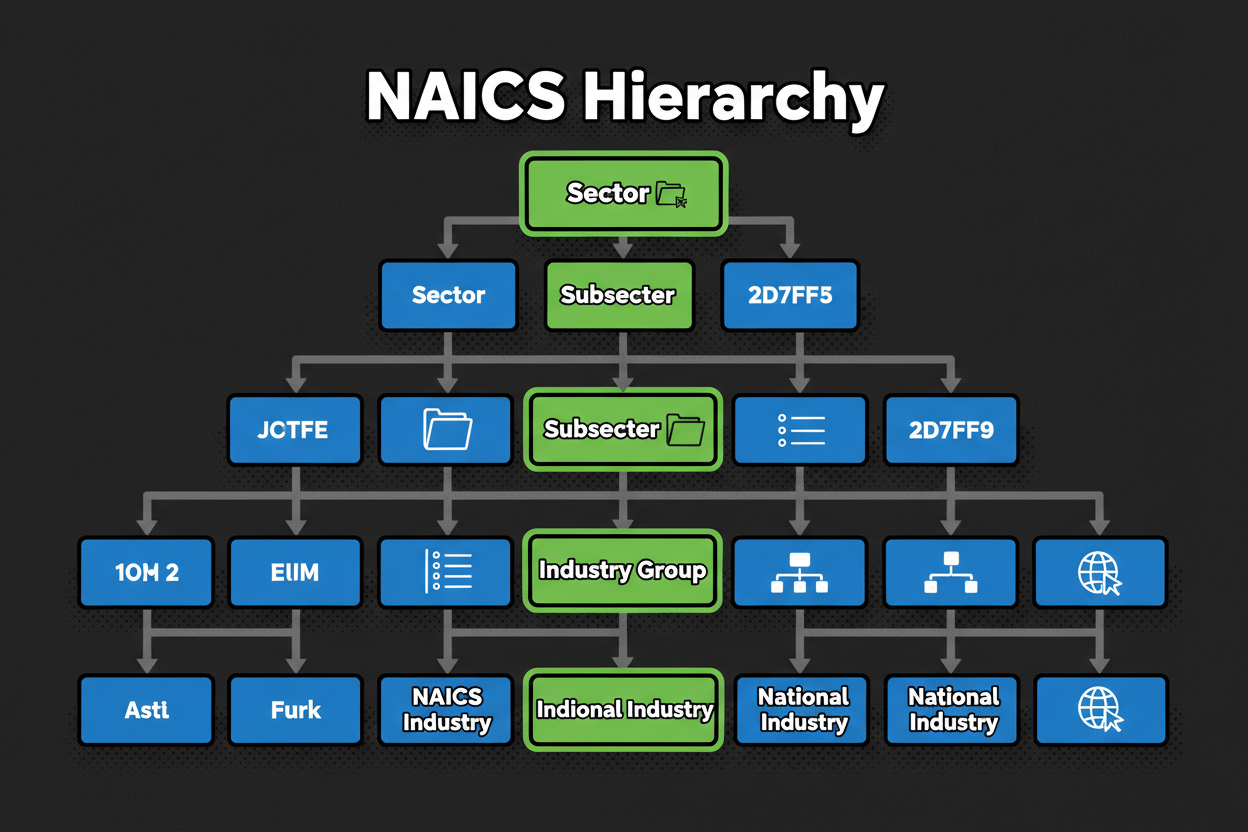
    The North American Industry Classification System (NAICS) is the federal standard used to code business establishments by industry so agencies can collect and publish economic statistics consistently. When you run a NAICS code lookup, you are aligning your business activity to a production-oriented taxonomy organized in a 6-digit hierarchy, from broad sectors down to national industries. The key concept: businesses are grouped by similarity in how they produce goods or services, not just by what they sell.

    Each digit adds precision:

    • Two digits identify the sector.
    • The third digit identifies the subsector.
    • The fourth digit identifies the industry group.
    • The fifth digit names the NAICS industry, shared across North America.
    • The sixth digit allows for country-specific detail under the common five-digit base.

    This design is why picking the right code starts with understanding how your business operates day-to-day. On federal tax returns, you must enter a principal business or professional activity code that aligns with these categories, choosing the one that best describes your primary source of income. Lenders, insurers, and licensors also rely on this classification to structure decisions and frame exposure. Using a tool like Classifast.com ensures that your code choice is accurate, reducing unnecessary follow-up and ensuring your risk signals align with your actual operations.

    The Coffee Business Case

    Consider how a simple coffee business can look like three different establishments depending on its production process:

    • Manufacturing: A roastery that buys green beans, roasts, and sells wholesale.
    • Snack/Beverage Bar: A fixed café brewing drinks for immediate consumption.
    • Mobile Food Services: An espresso cart serving from a truck.

    Misclassifying these can skew benchmarking and slow down underwriting. Semantic tools like Classifast help navigate these nuances instantly.

    How Modern NAICS Code Lookup Works: From Manual to Automated

    Manual lookup involves browsing official lists or IRS indices to find a match. While it works for straightforward businesses, it is slow and prone to errors when models are ambiguous. It is easy to choose by marketing terms rather than the production-process logic NAICS requires.

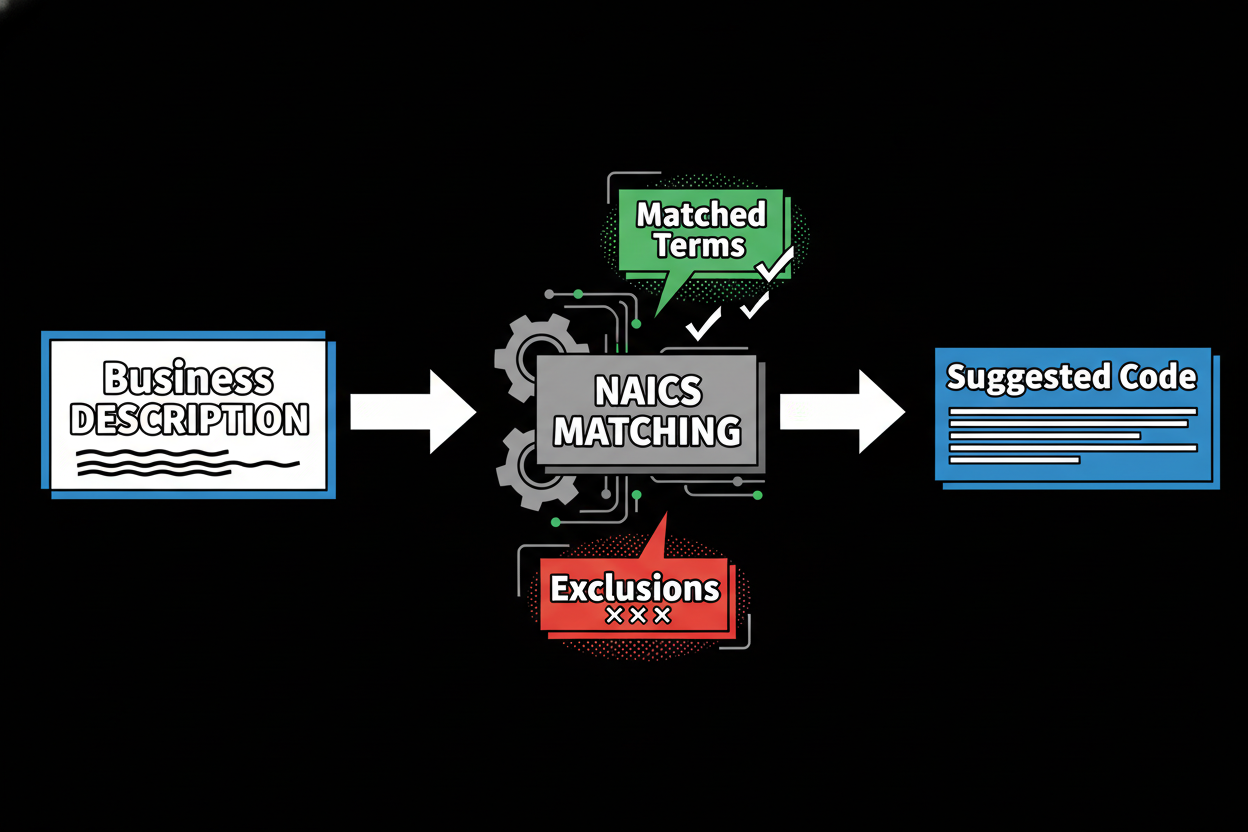
    Automated semantic lookup, powered by Classifast, removes these pain points. Built with high-performance FastAPI, Classifast allows you to enter a plain-language description—like “we roast coffee and sell wholesale”—and maps natural phrases and synonyms to NAICS definitions.

    AspectManual NAICS LookupClassifast (Semantic)
    SpeedSlower; multiple definitions to reviewInstant; ranked matches with confidence
    AccuracyDepends on user expertiseGuided by semantic production-process signals
    ExplainabilityUser must manually document notesBuilt-in rationale per suggestion
    Audit TrailOften ad-hoc or missingSaved input, candidates, and rationale

    Inside the NAICS Code Lookup Tool: Features and Workflow

    A professional NAICS picker should feel like a smart colleague. Classifast.com uses advanced semantic search to translate your everyday language into the production-oriented NAICS structure.

    Step 1 – Describe your business in plain language

    You don’t need to memorize technical terms. Describe what you do to earn money and how you deliver it. Classifast understands terms like “dropship,” “wholesale,” or “subscription” and maps them to the underlying taxonomy.

    Step 2 – Review top matches with confidence scores

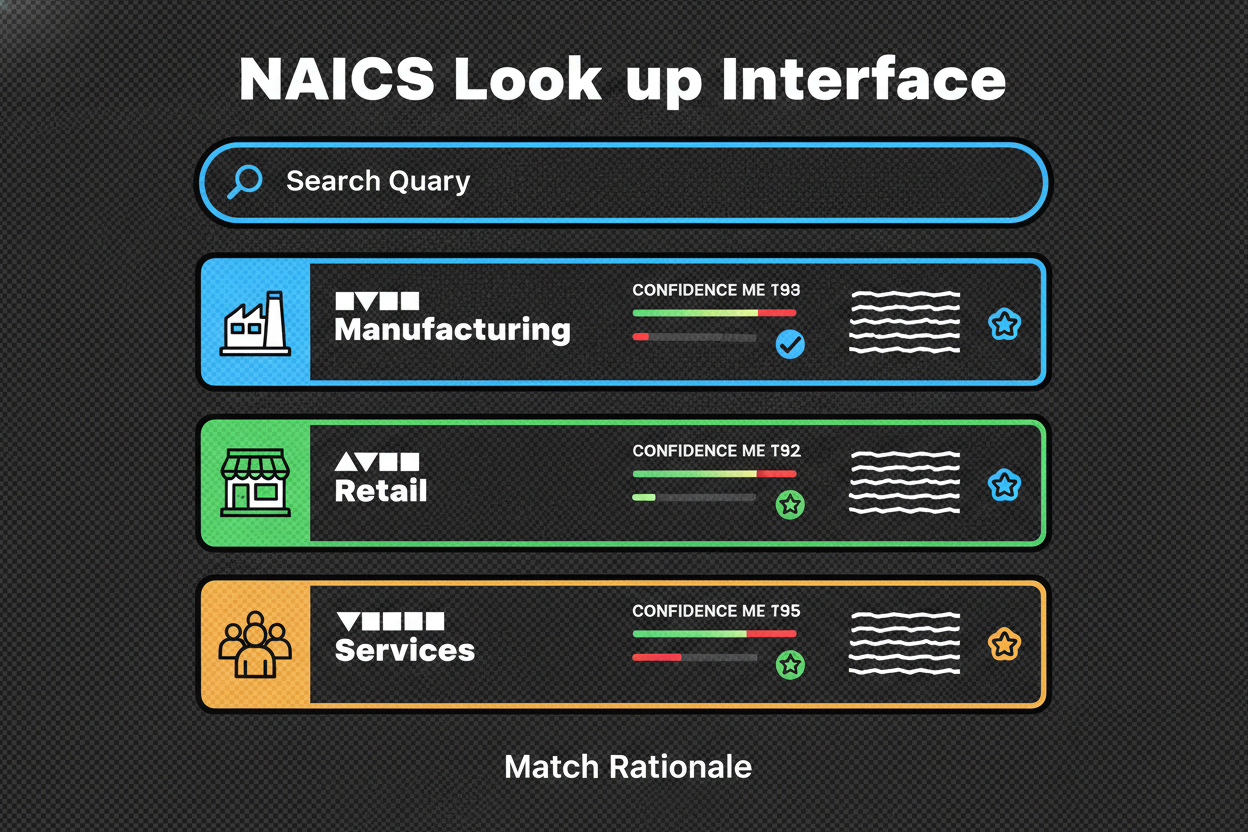
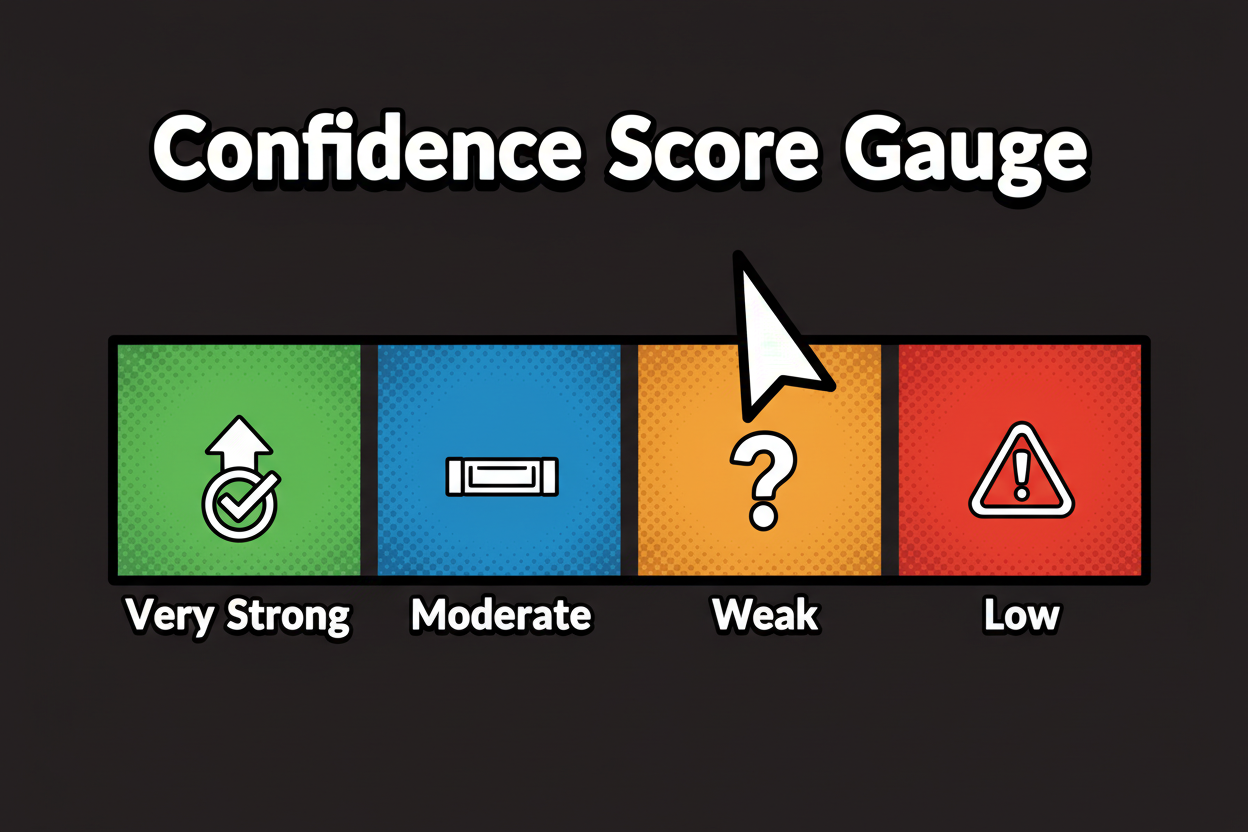
    The tool provides ranked results with a confidence score and a one-sentence rationale. This rationale highlights specific cues from your description, such as “roasting and packaging,” to show why a code fits.

    Step 3 – Explore intelligent alternatives

    Next to your results, Classifast surfaces “nearby” codes that sit on the border with your top match. These include “when to choose” notes to resolve common confusions—like SaaS vs. IT consulting or online retail vs. wholesale.

    Step 4 – Confirm and save the audit trail

    Once a code is selected, Classifast generates an auditable record. This includes your original input, the candidates considered, confidence scores, and a final rationale—essential for accountants, lenders, and compliance teams.

    Best Practices for NAICS Code Selection and Compliance

    To ensure your classification holds up under review:

    1. Identify Principal Activity: Focus on the line of work that generates the largest share of revenue and define it by the production process.
    2. Use Semantic Lookup: Leverage Classifast.com to see matches with readable rationales rather than guessing keywords.
    3. Compare Borderline Cases: Use the “when to choose” notes to resolve hybrids, such as a marketing agency that also has a SaaS component.
    4. Maintain the Audit Trail: Save your decision path so reviewers can see why you selected a specific code.
    5. Periodic Re-evaluation: If your revenue mix shifts (e.g., from consulting to software), update your code and record the trigger for the change.

    Frequently Asked Questions About NAICS Code Lookup

    Q: How do I find the correct NAICS code?
    A: Use a semantic lookup tool like Classifast.com. Enter a one-sentence description of your primary revenue activity and pick the 6-digit code that matches your production process.

    Q: Does my NAICS code affect taxes or loans?
    A: While it doesn’t set your tax rate, it describes your trade correctly on Schedule C (Line B). Lenders use it to benchmark performance and frame risk.

    Q: Can I change my code later?
    A: Yes. If your principal activity shifts, update your records and use the new code on future filings. Classifast helps you re-verify your hierarchy as your business grows.

    Conclusion: Streamline NAICS Code Lookup With Confidence

    Accuracy and explainability are the keys to successful industrial classification. When your code reflects your actual production process, your filings are cleaner and your reviews are faster. Classifast.com provides the speed and intelligence needed to navigate the NAICS taxonomy with ease.

    By switching from manual browsing to a semantic, FastAPI-driven workflow, you ensure that every classification is backed by a defensible rationale and a clear audit trail.

    Ready to categorize your business? Visit Classifast.com to find your NAICS code instantly.

  • The Complete Guide to North American Industry Classification (NAICS) for Businesses and Analysts

    The Complete Guide to North American Industry Classification (NAICS) for Businesses and Analysts

    Table of Contents

    Introduction to North American Industry (NAICS) Classification

    You open a grant application with a tight deadline. Everything looks routine until one field stops you: Enter your NAICS code. If you’ve ever paused at that moment, you’re not alone.

    What is NAICS? The North American Industry Classification System is the standard used by Federal statistical agencies to classify business establishments for the purpose of collecting, analyzing, and publishing statistical data about the business economy. It is production-oriented and designed for comparability across the U.S., Canada, and Mexico.

    Why should you care? Because the same code you enter here shows up in government registrations, regulatory reports, and contracting portals. Agencies depend on NAICS classfication to organize how they collect and publish data, which is why you see it echoed in surveys, forms, and program rules.

    For businesses, an accurate code can speed up registrations and avoid confusion in grants. For analysts, NAICS is the backbone that lets you segment markets and benchmark peers. However, finding that perfect 6-digit code manually can be a daunting task. This is where a tool like Classifast.com becomes essential. Classifast is a high-performance web application built with FastAPI that provides instant classification of any text input into standards like NAICS, ISIC, and UNSPSC using advanced semantic search technology.

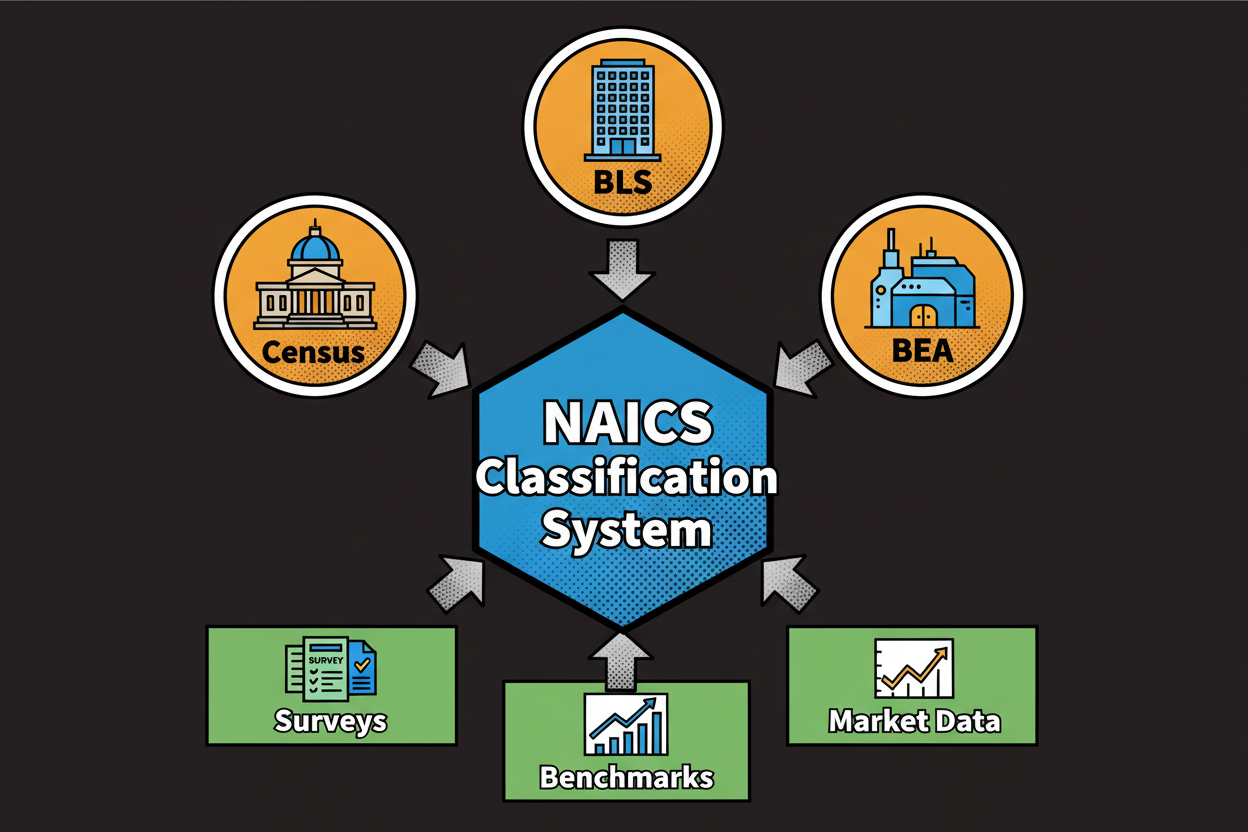
    NAICS ecosystem diagram showing data flow between agencies and businesses

    Understanding the Structure and Purpose of NAICS

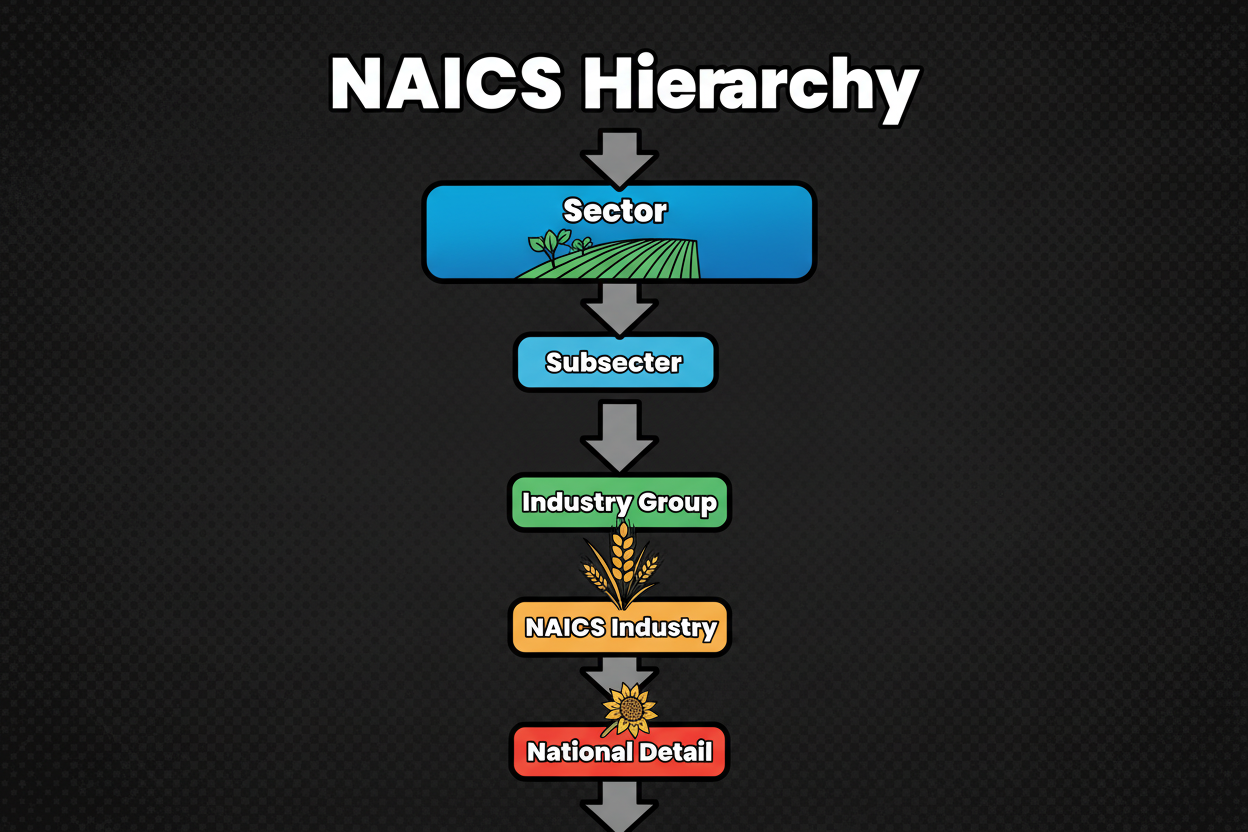
    NAICS uses a 2- through 6-digit hierarchical system that moves from broad to specific. Each additional digit adds detail, narrowing the type of activity until you reach a specific national industry.

    • Sectors (2-digits): Major slices of the economy (e.g., 31–33 for Manufacturing).
    • Subsectors (3-digits): Specific activity groups within a sector.
    • Industry Groups (4-digits): Tighter clusters of related industries.
    • NAICS Industries (5-digits): The level of tri-national comparability (US, Canada, Mexico).
    • National Industries (6-digits): The country-specific layer for fine-grained detail.

    NAICS is production-oriented, meaning it groups establishments by the similarity of the processes they use to produce goods or services.

    Tree diagram showing the NAICS hierarchy from 2 to 6 digits

    How Businesses and Analysts Use NAICS in Practice

    NAICS shows up anywhere government or statistical work needs consistent industry information. Getting the code right keeps your filings aligned and anchors your data to how agencies view production processes.

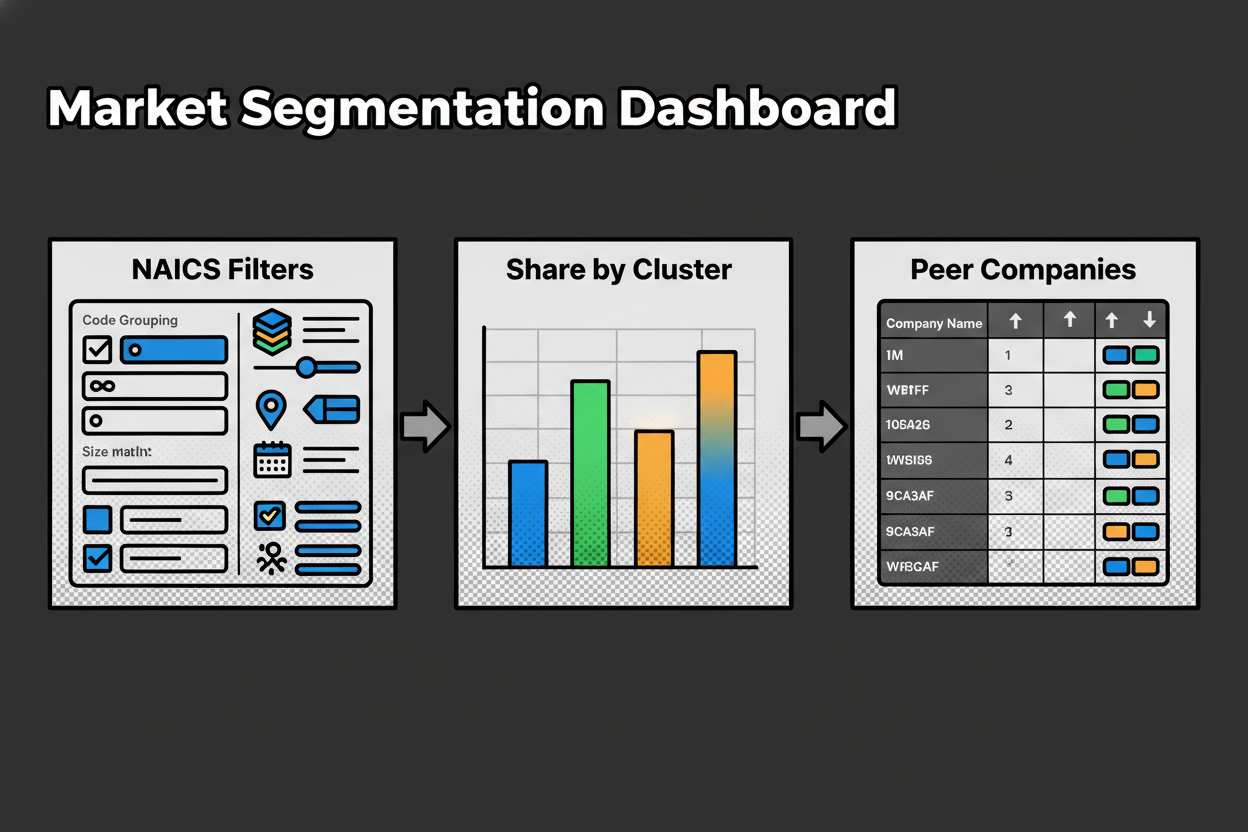
    For analysts, NAICS is a powerful filtering tool. Say you’re sizing a niche segment within business services. Instead of guessing, you can use Classifast.com to instantly map a list of company descriptions to their most likely NAICS codes. By clustering these 5- and 6-digit codes, you can build a clean peer set that aligns with official economic data.

    Analyst dashboard showing market share by NAICS code cluster

    Comparing NAICS to International Classification Systems

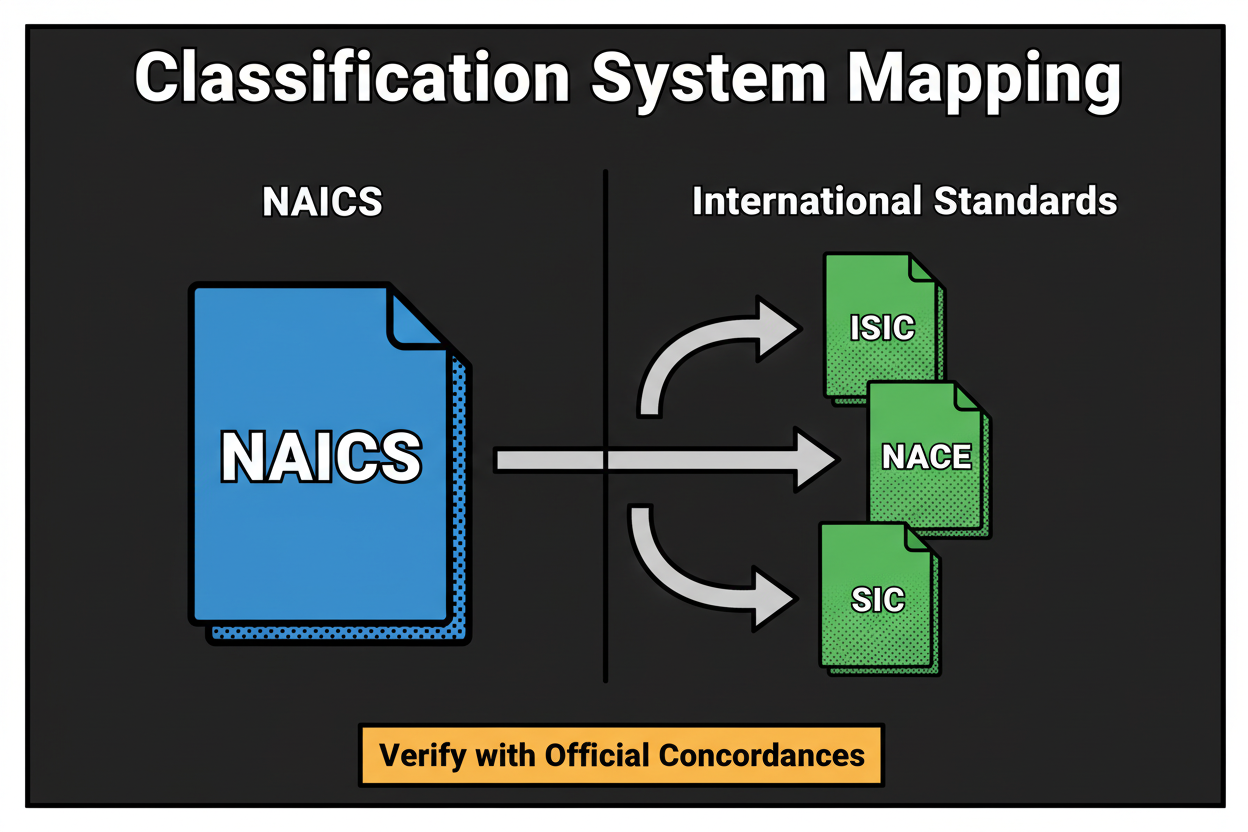
    If you operate across borders, you’ll encounter systems like ISIC (International) and NACE (Europe). While NAICS is the North American frame, mapping between these systems is a common requirement for global companies.

    SystemScopeOrganizing Principle
    NAICSNorth AmericaProduction-oriented
    ISICGlobal (UN)Global statistical standard
    NACEEurope (EU)European statistical standard

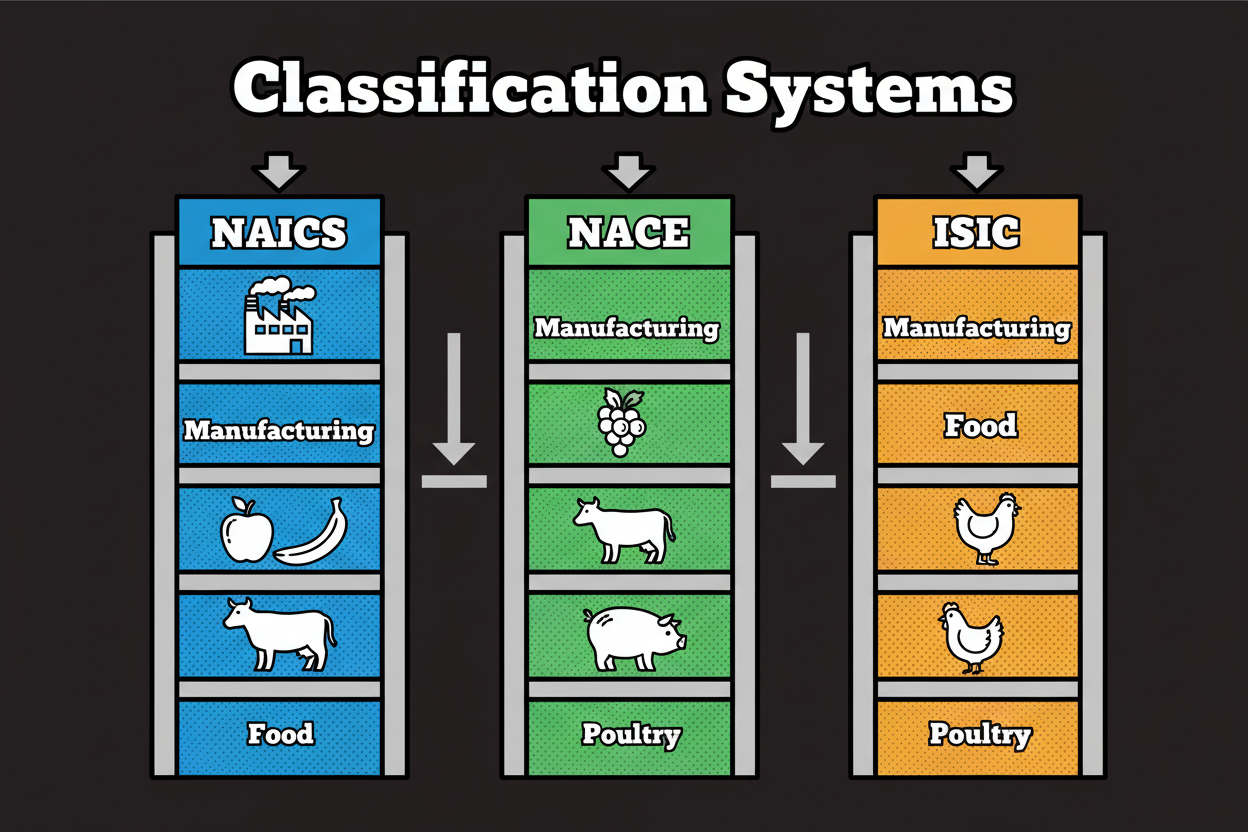
    Because these systems have different hierarchies, it is best to use a “semantic bridge.” Classifast supports all of these standards simultaneously, allowing you to input a single description and receive matching codes for NAICS, ISIC, and even NACE-related taxonomies instantly.

    Mapping visual showing NAICS alignment with ISIC and NACE

    Step-by-Step Guide: Leveraging NAICS with Classifast

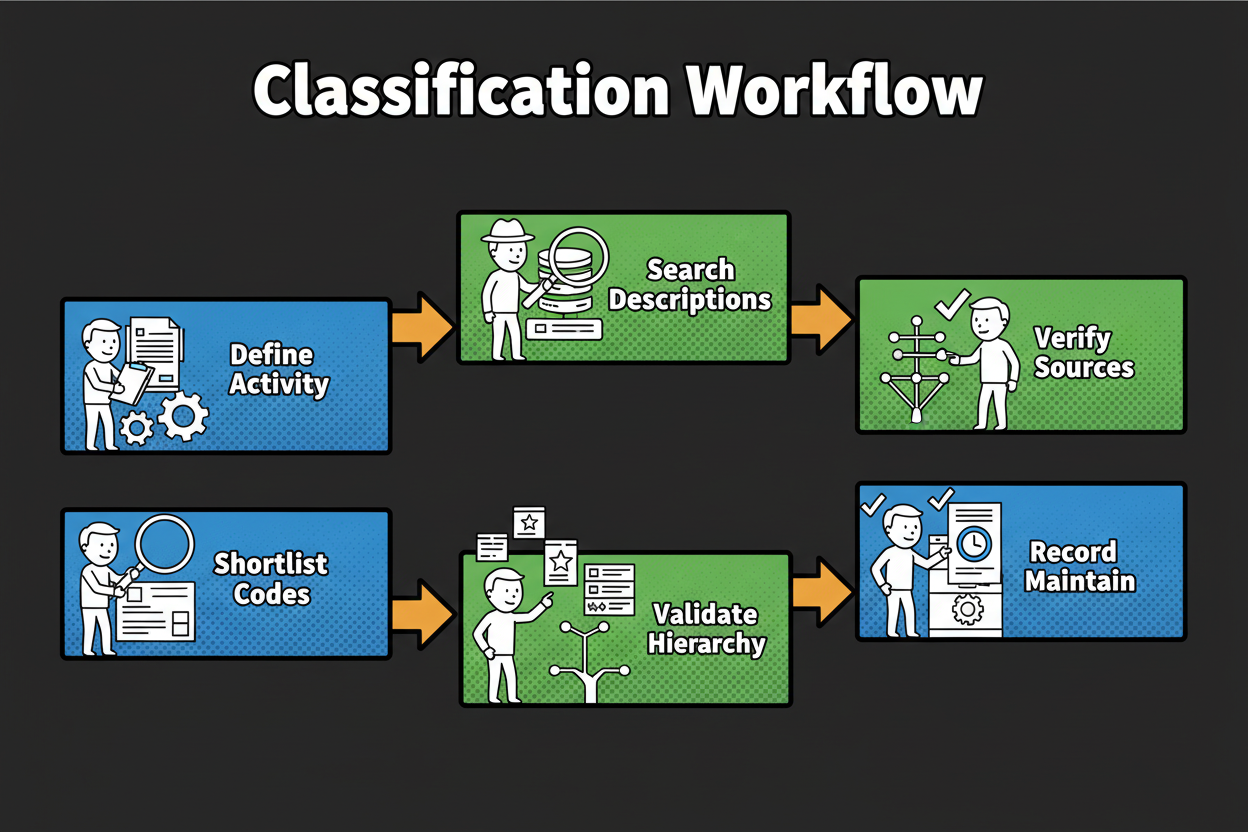
    The manual way to find a code involves walking the hierarchy level-by-level through massive PDF manuals. The modern way is to use the Classifast Goods and Services Classifier.

    1. Define Primary Activity: Describe what your business does (e.g., “Custom software development for healthcare”).
    2. Instant Search: Paste that description into Classifast.com.
    3. Analyze Results: Classifast uses semantic search to find the 6-digit NAICS code that matches your production process, not just your keywords.
    4. Verify Hierarchy: Review the 2-digit to 5-digit path provided by the tool to ensure the logic holds up.
    5. Record & Maintain: Save the code and the rationale for use in all future government filings.
    Linear flowchart showing the Classifast classification workflow

    Frequently Asked Questions About NAICS

    Q: How often does NAICS change?
    A: NAICS is updated periodically (usually every 5 years). When updates happen, Classifast’s underlying models are updated to ensure you are always using the most current structure.

    Q: What if my business is a hybrid of multiple codes?
    A: Focus on your primary revenue-generating activity. If you build equipment (Manufacturing) but also provide a subscription (Service), Classifast will help you determine which production process is dominant based on your description.

    Q: Is Classifast free to try?
    A: Yes. You can visit Classifast.com right now to classify individual items instantly without even creating an account.

    Conclusion and Key Takeaways

    The North American Industry Classification System provides a shared language for the economy. Whether you are filling out a grant, applying for a government contract, or performing market research, your NAICS code is your identity in the eyes of statistical agencies.

    By using Classifast.com, you can move from hours of manual manual-checking to seconds of automated search. With its Fast API-driven architecture and semantic intelligence, it is the fastest way to ensure your industry data is accurate and compliant.

    Key Takeaways

    • Classify by primary activity, focusing on production rather than marketing.
    • Use Classifast.com for instant, semantic-search-powered results.
    • Walk the hierarchy from 2 digits to 6 digits to ensure logical consistency.
    • Keep it consistent across all registrations, grants, and reports.
  • The Ultimate Guide to ETIM Classification for Electrical and HVAC Catalogs: Standardization and Automation

    The Ultimate Guide to ETIM Classification for Electrical and HVAC Catalogs: Standardization and Automation

    Table of Contents

    Why ETIM Classification Matters for Electrical and HVAC Catalogs

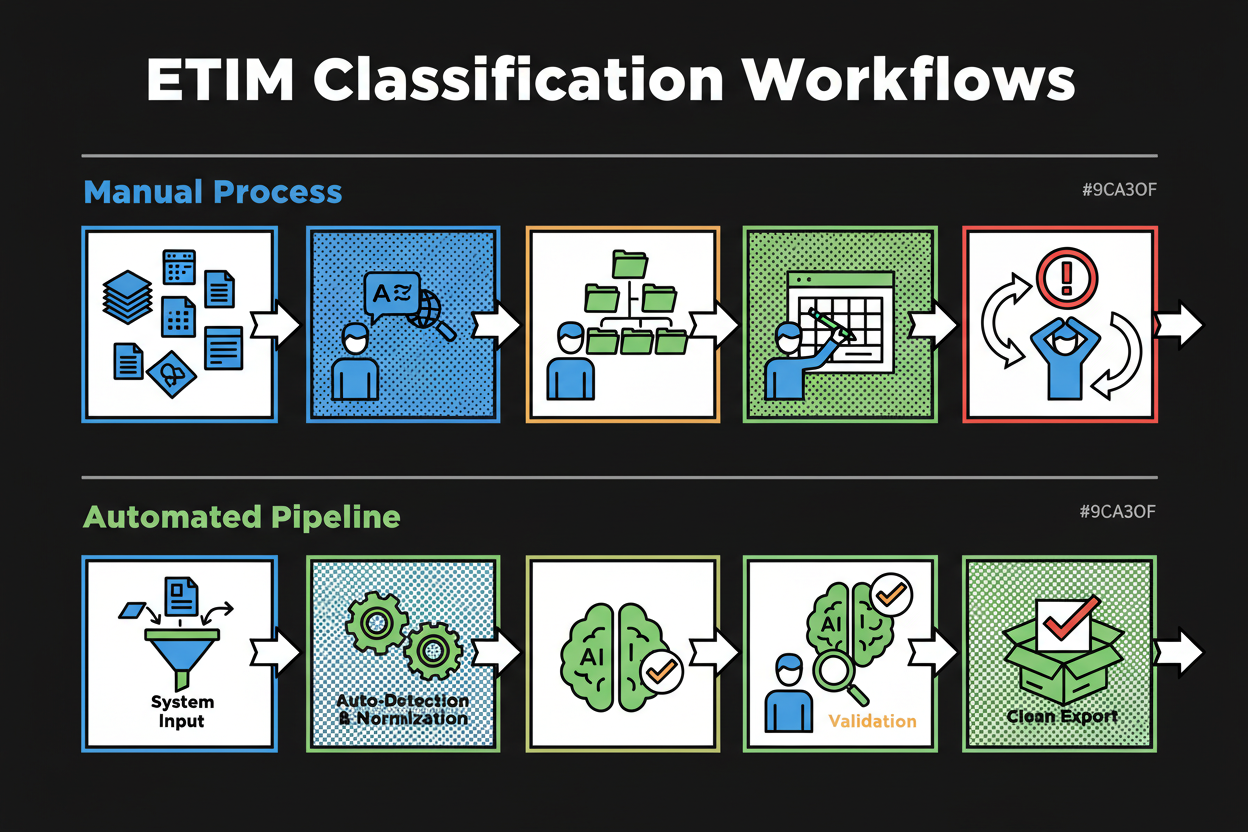
    Picture this. You’re a catalog manager staring at twelve tabs of spreadsheets, PDFs, and supplier portals. One vendor lists voltage as 230 V, another as 0.23 kV, a third says “230VAC” in the title and nowhere else. Half your new SKUs include specs in German and Italian. You’re trying to map everything to ETIM, one feature at a time, across thousands of products while distributors ping you about missing attributes and rejected imports. ETIM classification is required.

    You translate, guess, normalize, and rework. Then you do it again for the next distributor with slightly different expectations. That’s the grind of manual ETIM mapping in electrical and HVAC catalogs.

    Now imagine a different flow. You drop your data and documents into a system like Classifast.com. It detects languages, normalizes units, and suggests the right ETIM class with the features most likely to apply. It flags anything uncertain so you only review edge cases. Then it validates against the ETIM model and exports clean, structured data to your PIM or ERP.

    That is the promise of automation: higher accuracy, real scale, and a lot less labor.

    Across ETIM use cases, teams have reported major wins when they standardize product data. One manufacturer scenario reported up to a 70% reduction in time to onboard new products to distributor systems, and technical attribute errors that “virtually disappear” once standardized fields are in place. Another real-world case described task turnaround times shifting from hours to minutes after aligning product data for ETIM-focused distribution workflows. Consistent structure reduces chaos, and automation reduces grind.

    Comparison of manual vs automated ETIM classification

    A day in the life: manual mapping pain you might recognize

    You gather datasheets from five suppliers. One calls the product a “socket outlet with switch”, one says “Schuko Steckdose mit Schalter”, one just says “SO-SW”. You spend ten minutes per SKU searching for the right ETIM class in the viewer, only to find the set of features is close but not perfect. Then the units don’t match—millimeters vs inches, Celsius vs Fahrenheit.

    Multiply that by a launch of 1,200 SKUs. That’s weeks of repetitive work and a long tail of rework as partners reject inconsistent fields.

    The business case for standardization

    ETIM classification gives everyone a shared language for technical data. Manufacturers can supply one structured spec set. Distributors can import without retyping. And your e-commerce team can build precise filters that actually help customers find the right part instead of scrolling for an hour.

    Understanding ETIM: The Foundation of Product Data Standardization

    What is ETIM classification?

    ETIM classification is a standardized, multilingual way to describe technical products using predefined product classes with a fixed set of features, allowed values, and measurement units. It enables manufacturers and distributors to exchange consistent product data across systems and markets.

    Inside the ETIM model: entities, identifiers, and multilingual design

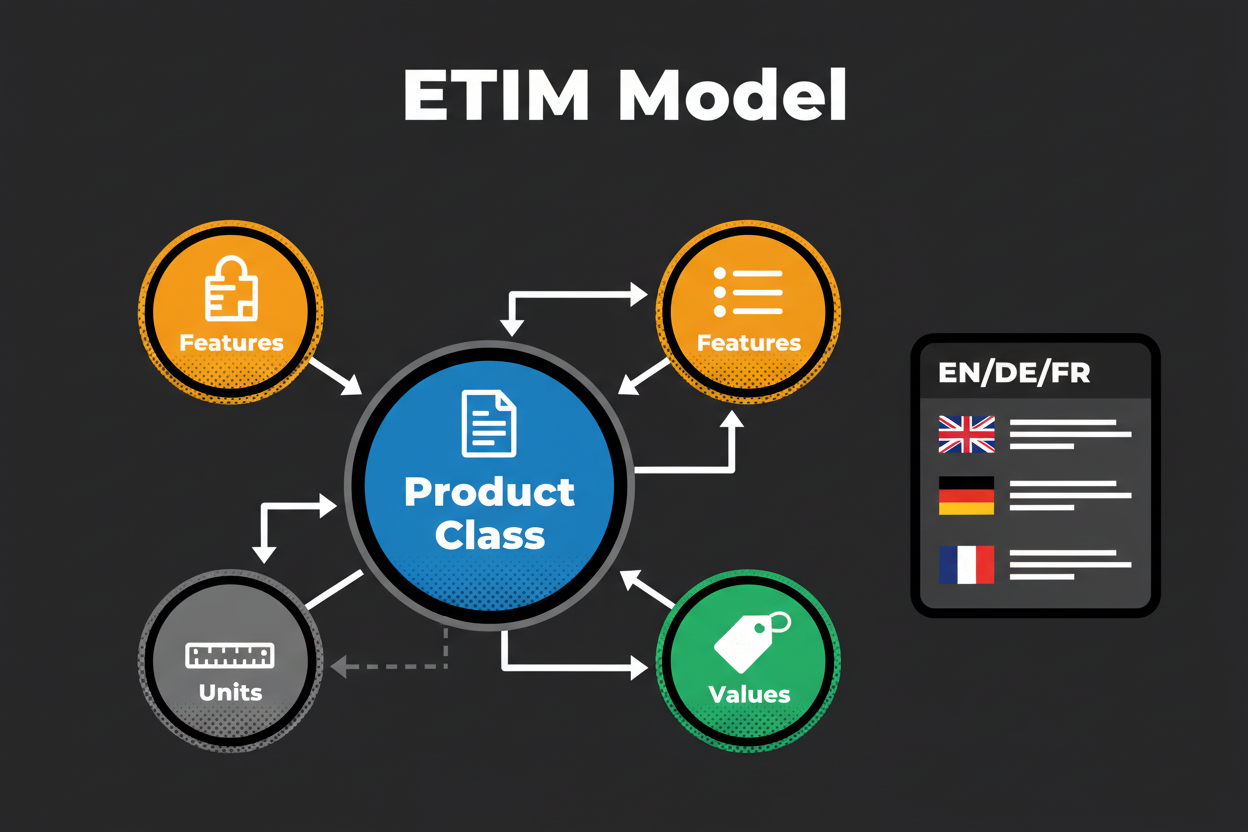
    ETIM is a product data model with clear building blocks:

    • Product Groups: High-level buckets for managing related classes.
    • Product Classes (EC): The heart of ETIM. Each class represents a specific product type and comes with a defined list of features.
    • Features (EF): Technical characteristics that describe products in the class (alphanumeric, numeric, range, or logic).
    • Values (EV): Predefined choices used with alphanumeric features.
    • Units (EU): Standardized measurement units used with numeric and range features.
    • Synonyms: Extra search terms per language linked to a class.

    All these objects use language-independent identifiers. The codes like EC, EF, EV, and EU do not change by language. Labels and synonyms, on the other hand, are language-dependent, so the same class can be displayed with local naming without breaking system-to-system exchange.

    ETIM data model diagram

    ETIM vs UNSPSC vs eCl@ss vs GS1

    StandardPrimary FocusBest Use Cases
    ETIMTechnical attributes for electro-technical and HVACTechnical catalogs, e-commerce filters
    UNSPSCSpend categorization and procurementProcurement analytics, high-level categorization
    eCl@ssCross-industry classification with propertiesIndustrial MDM, engineering catalogs
    GS1 GPCRetail product classificationRetail supply chain, barcoding ecosystems

    The Complete ETIM Classification Process

    1. Prepare: Consolidate product sources (ERP, supplier feeds, PDFs). Detect language for titles and documents, resolve duplicates, and normalize basic units.
    2. Map: Assign each SKU to the correct ETIM product class. Extract attributes from descriptions and align them to the class’s features (EC, EF, EV, EU).
    3. Validate: Check each record against ETIM constraints. Are required features populated? Are you using official EU unit codes?
    4. Export: Produce a structured file (CSV, BMECat, or API payload) for your PIM/ERP.
    5. Publish and syndicate: Push to e-commerce, marketplaces, and distributors.
    6. Review and improve: Track exceptions and rework to tighten your extraction rules.

    Automating ETIM Classification: How Classifast Delivers Accuracy and Efficiency

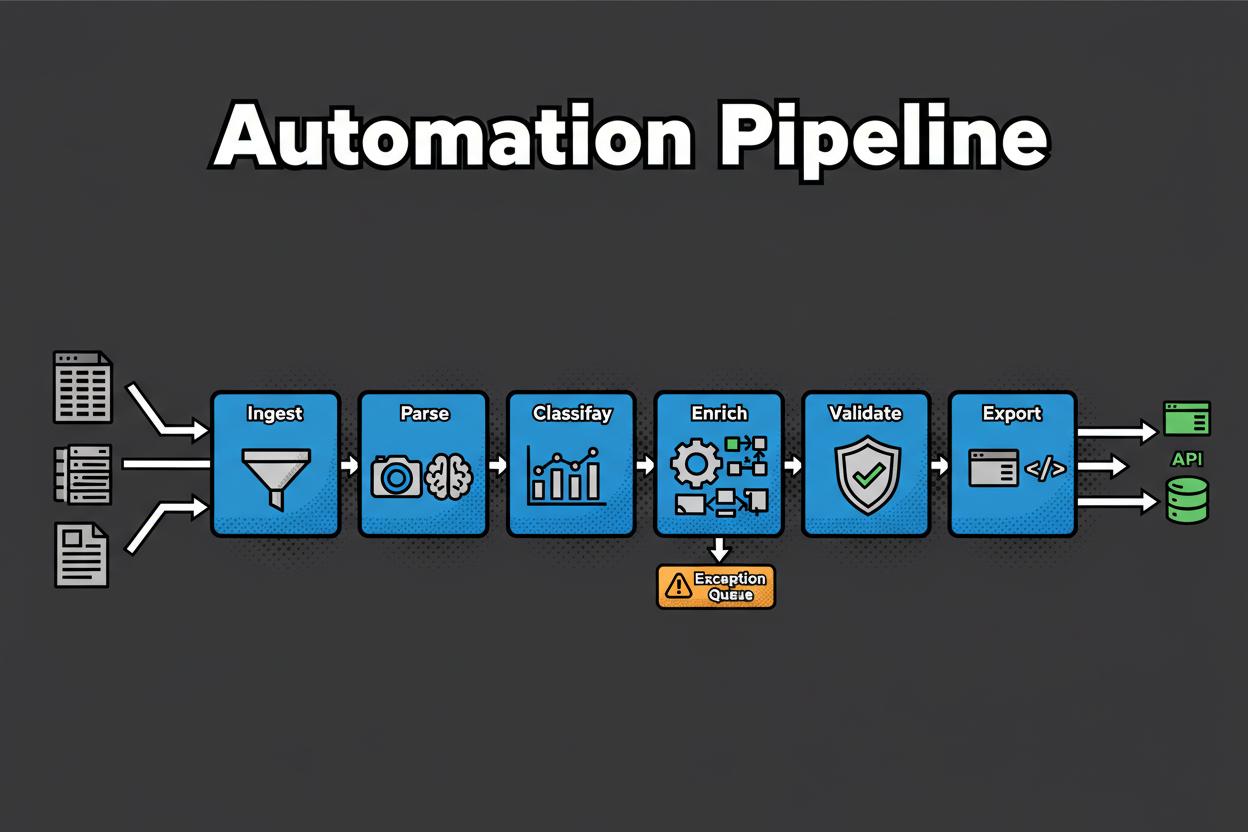
    Whether you build in-house or use a specialized platform, effective automation follows a clear conveyor: ingest, parse, classify, validate, export.

    Classifast is a high-performance web application designed specifically for this task. Built with FastAPI and modern web technologies, it provides instant classification for industry standards like ETIM, UNSPSC, NAICS, ISIC, and HS codes. By using advanced semantic search, Classifast understands the technical context of your product descriptions, moving beyond simple keyword matching to deliver fast, intelligent categorization.

    Classifast Automation Pipeline

    How the Classifast Pipeline works:

    • Ingest & Parse: The system reads your CSVs or PDFs, detects languages, and runs OCR to pull out structured attributes.
    • Extract and Normalize: Attributes are mapped to ETIM features (EF) by meaning. Numeric values are automatically converted to ETIM units (EU).
    • Semantic Classification: The engine proposes the top matching ETIM classes (EC) with confidence scores. High-confidence matches can be auto-assigned, while edge cases are routed to a human reviewer.
    • Validation & Export: Every SKU is checked against ETIM version constraints before being exported as a PIM-ready file.

    Best Practices and Common Pitfalls

    Prepare high-quality data upfront

    • Inventory SKUs: Define canonical IDs before you begin.
    • Unit Dictionary: Map all supplier abbreviations to ETIM EU codes immediately.
    • Clean Titles: Ensure titles include differentiating specs like voltage or range.

    Troubleshooting Common Issues

    • Ambiguous Descriptions: If Classifast gives a low-confidence score, enrich the title with more technical specs.
    • Mixed Units: Enforce normalization to ETIM EU codes at the start of the pipeline to prevent numeric feature rejection.
    • Version Mismatch: Treat ETIM versions like software releases; regression-test affected classes before a bulk update.

    Frequently Asked Questions

    Q: What is ETIM, and why does it matter?
    A: ETIM is a standardized, multilingual way to describe technical products. It ensures that a “socket” in one system is exactly the same “socket” in another, regardless of language.

    Q: How does Classifast help with ETIM?
    A: Classifast uses semantic search to instantly find the correct ETIM codes for your text inputs. It automates the unit normalization and feature extraction that normally takes hours.

    Q: How do I handle multilingual catalogs?
    A: Anchor your records on language-independent codes (EC, EF, EV, EU). You can then display local labels in your PIM while the underlying data remains globally compatible.

    Conclusion: Taking the Next Step Toward Modern Catalog Excellence

    ETIM gives you the structure; automation via Classifast.com gives you the speed. By moving from manual mapping to a semantic search-driven workflow, you can reduce onboarding cycles by up to 70% and virtually eliminate technical attribute errors.

    Start with a pilot of your top 20 classes. Let the model do the heavy lifting of unit normalization and class selection, so your team can focus on the high-value edge cases.

    Key Takeaways

    • Stable Identifiers: Use ETIM’s language-independent codes to prevent system-to-system drift.
    • Automation is Key: Tools like Classifast shift your effort from “minutes per SKU” to “seconds per SKU.”
    • Governance: Monitor exception rates and keep your unit dictionary updated to maintain scale.
  • The Ultimate Online Goods and Services Classifier: Instantly Categorize Any Product or Service with Classifast

    The Ultimate Online Goods and Services Classifier: Instantly Categorize Any Product or Service with Classifast

    Table of Contents

    Effortless Goods and Services Classification: Instantly Categorize with AI

    You’re staring at a spreadsheet with hundreds of items. A few are simple. Most are oddly specific or bundled. You tab between a category tree, a customs reference, and a marketplace guide. Each choice feels like a guess you’ll have to defend later. Goods and services classifier is required.

    That’s the grind of manual classification. It’s slow, inconsistent, and it doesn’t scale. In catalog operations, humans typically spend 30–180 seconds per SKU just to pick a product category. Assigning an HS code for a trade can take 5–20 minutes per line when you check notes and rulings.

    What if you could paste a description, click once, and get the best-fit code with a confidence score and a short rationale? That’s exactly what Classifast does. Classifast is a web application designed for the instant classification of goods and services using advanced semantic search technology to ensure accuracy and speed.

    What is a goods and services classifier?

    A goods and services classifier reads a product or service description and assigns the right code from a defined taxonomy. Classifast supports major international standards, including:

    • UNSPSC (Procurement and spend analytics)
    • NAICS (Industry classification)
    • ISIC (International standard industrial classification)
    • HS/HTS (Global trade and customs)
    • ETIM (Electrotechnical and technical product data)

    The benefit is simple: consistent labels for compliance, analytics, and findability, generated instantly with transparent confidence measures.

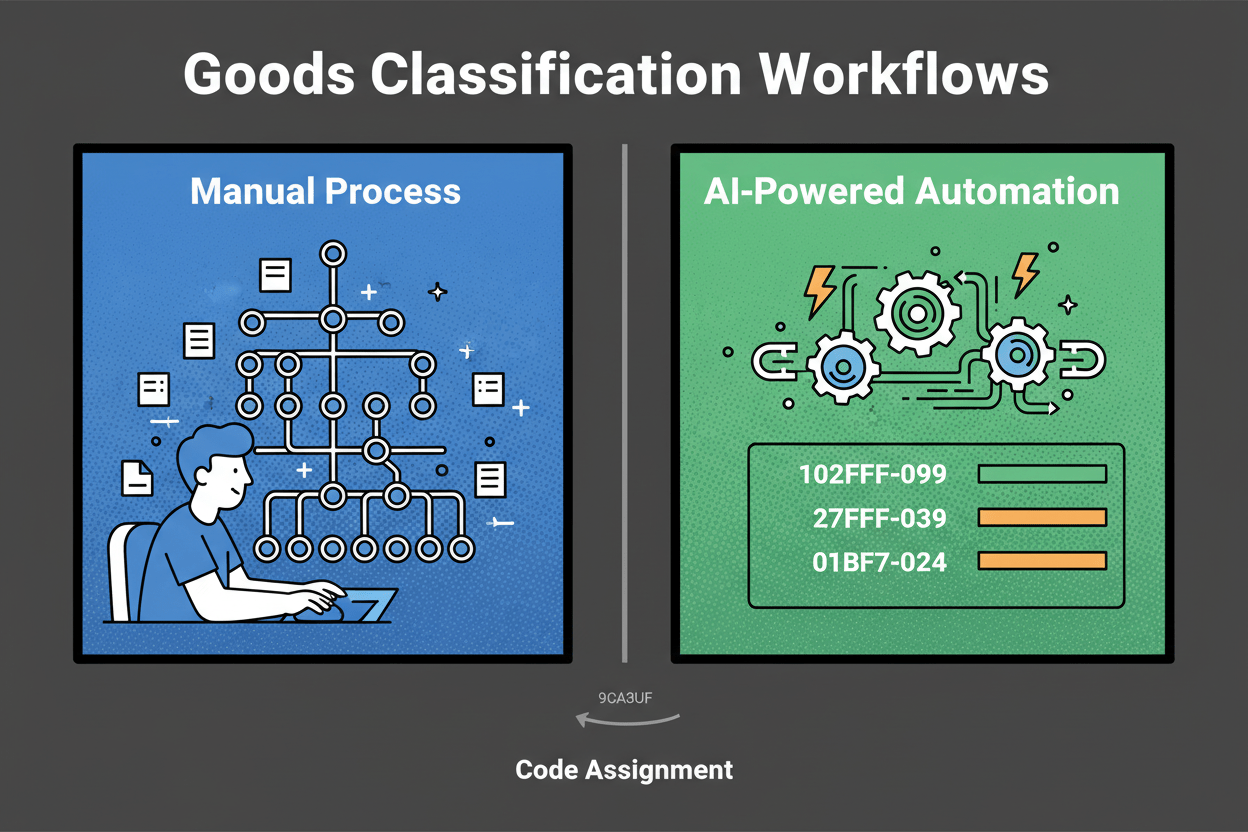
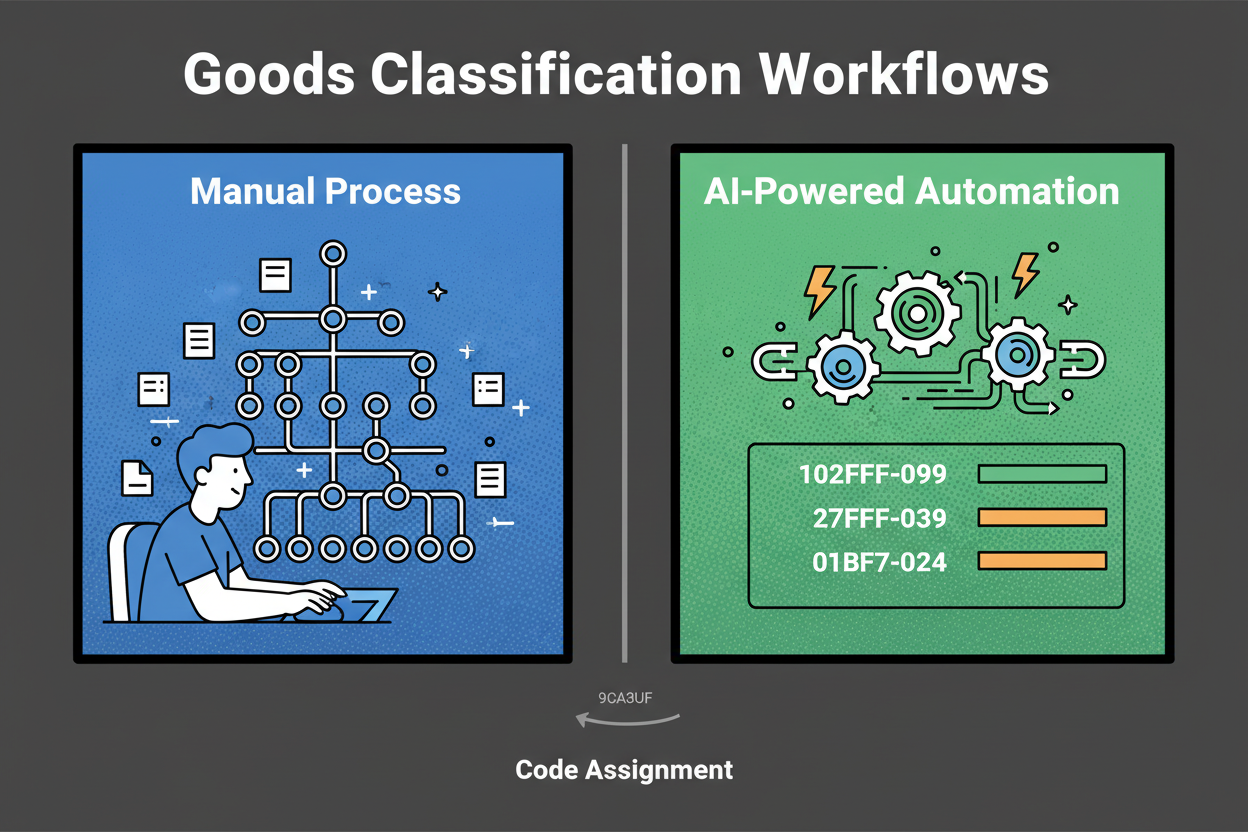
    Manual vs Automated Classification Workflow

    How Classifast Works: Semantic Search and High Performance

    You shouldn’t have to guess how an AI made its pick. Classifast is built with modern web technologies like FastAPI to deliver near-instant results. Unlike traditional keyword matching, our system uses advanced semantic search. This means the tool understands the context and meaning behind your text, not just the words themselves.

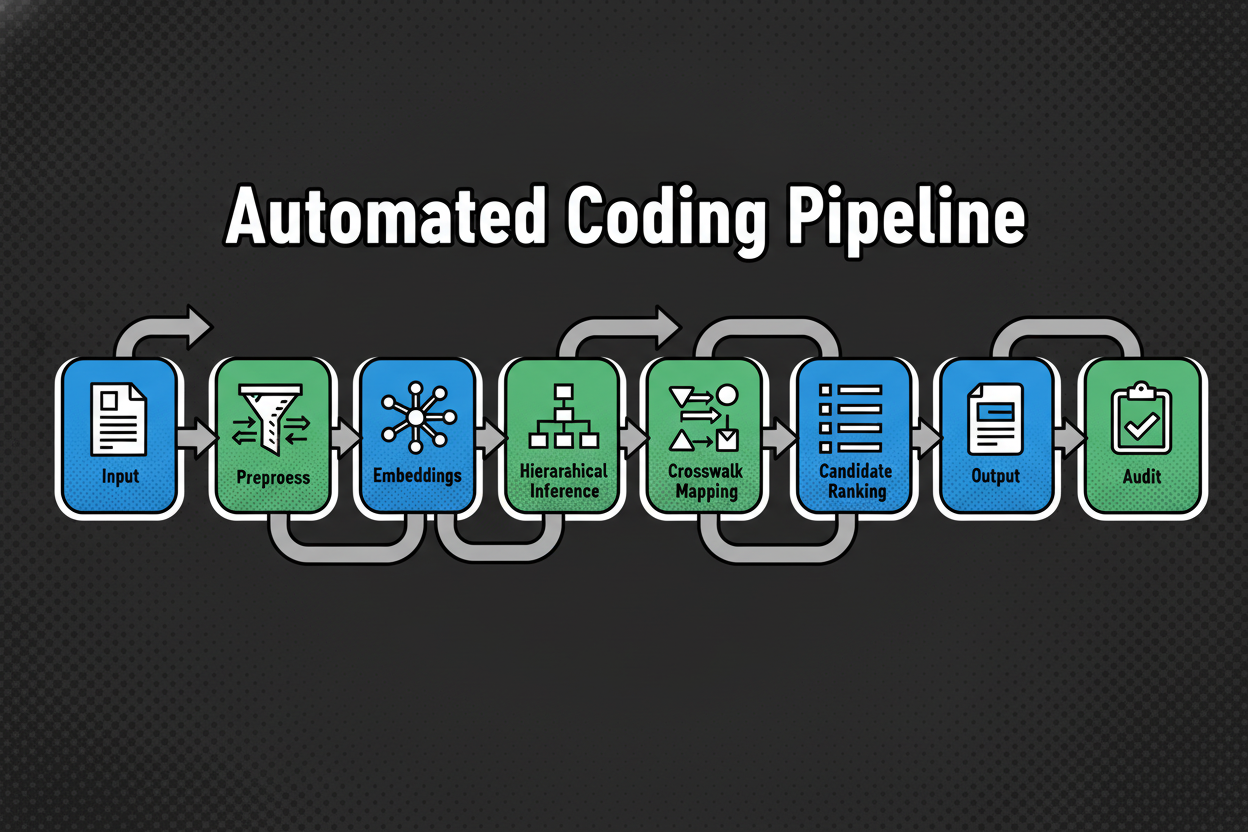
    The AI Pipeline: From Description to Code

    1. Inputs: You provide a title, description, or attributes (like materials or voltage).
    2. Preprocessing: Classifast cleans the text, detects the language, and prepares it for analysis.
    3. Semantic Embedding: The text is converted into high-dimensional vectors that capture its true meaning.
    4. Hierarchical Inference: The model drills down the taxonomy (e.g., from “Electronics” to “Smartphones”) to find the exact leaf node.
    5. Output: You receive a top code, a confidence bar, and a rationale explaining the decision.
    Classifast Process Flow

    Practical Use Cases: Who Benefits from Automated Classification?

    Automation is useful when it moves needles: faster cycles, cleaner data, and fewer rework loops.

    • Compliance Officers: Reduce HS/HTS research time and keep audit-ready logs for every shipment.
    • Ecommerce Managers: Stabilize categories across your site to improve findability and reduce returns.
    • Procurement Leads: Map thousands of PO lines to UNSPSC instantly to unlock true spend visibility.
    • Data Scientists: Ensure consistent labeling across datasets to build better forecasting models.

    Step-by-Step Guide: Using Classifast

    Getting started is simple. You don’t need a complex integration to begin cleaning your data today.

    1. Prepare your data: Use clear, factual titles and descriptions. Include specs like materials or intended use.
    2. Choose your taxonomy: Select from UNSPSC, NAICS, ISIC, ETIM, or HS.
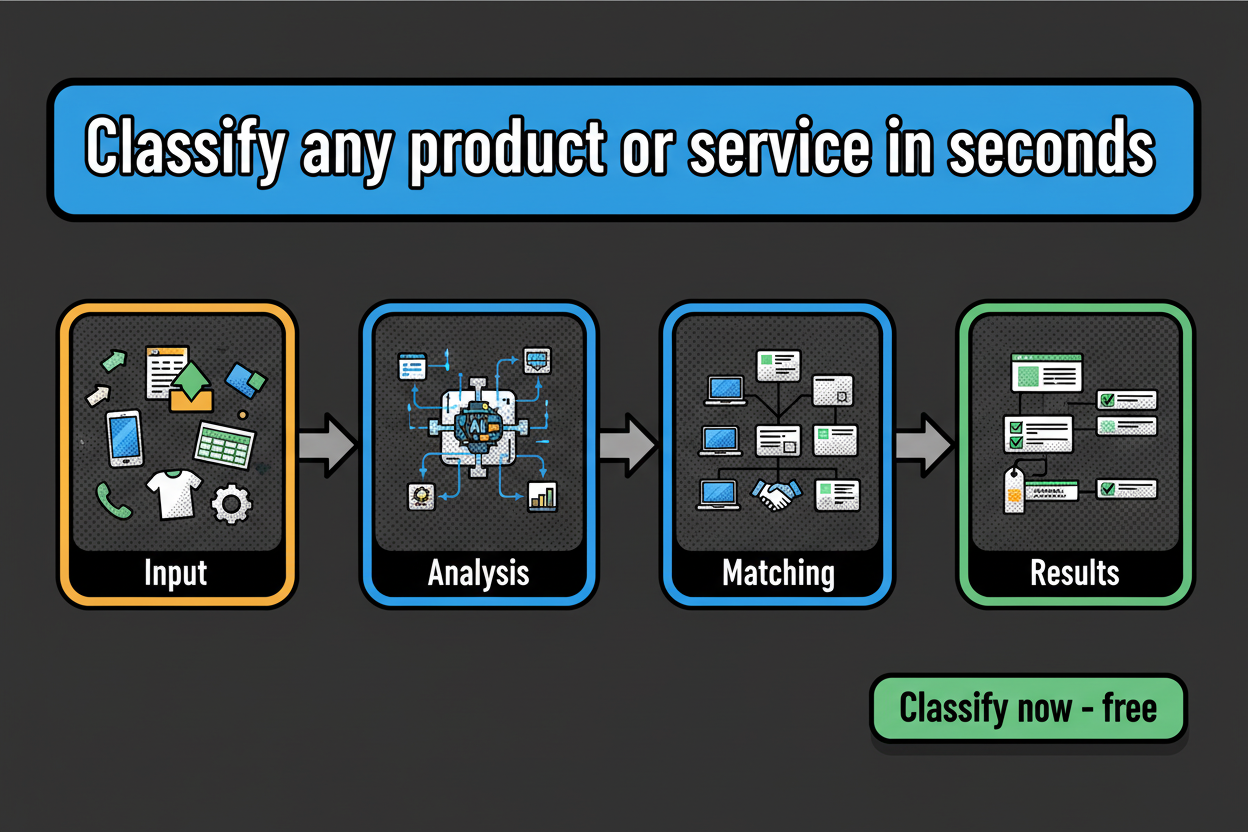
    3. Run the classification: Click “Classify” and get results in seconds.
    4. Review and Audit: Check the confidence score. If it’s high, you’re good to go. If it’s low, the rationale will tell you what extra info (like “material type”) is needed to be certain.
    Classifast Single Result Panel

    Bulk Classification for Large Projects

    For those with tens of thousands of SKUs, Classifast supports bulk uploads. Upload your CSV, map the columns, and let the semantic engine process the entire batch. You can set a “confidence threshold” to automatically accept the most certain results, leaving only the edge cases for human review.

    Frequently Asked Questions

    Q: Which systems does Classifast support?
    A: We support UNSPSC, NAICS, ISIC, ETIM, HS/HTS, GS1 GPC, and eCl@ss. We can also map to your own custom internal taxonomies.

    Q: How accurate is the semantic search?
    A: Semantic search allows Classifast to understand synonyms and technical context that traditional tools miss. This often matches or exceeds human accuracy in complex retail or industrial settings.

    Q: Is my data secure?
    A: Yes. Classifast practices data minimization and uses encryption in transit and at rest. We align with SOC 2 and ISO 27001 principles to ensure your product data is protected.

    Unlock Consistent, Accurate Classification with Classifast

    The real win of moving to an automated system is simple: faster outputs, steadier decisions, and clean data you can trust. Manual labeling is a bottleneck that your business can’t afford in 2025.

    By using Classifast.com, you shift from minutes per item to seconds. You invest human time only where it moves the needle—on high-risk exceptions—while the semantic engine handles the rest.

    Key Takeaways

    • Instant Results: Categorize in seconds using FastAPI-powered search.
    • Global Standards: One tool for UNSPSC, NAICS, ISIC, HS, and ETIM.
    • Defensible Logic: Every code comes with a rationale you can audit.
    • Consistent Data: Eliminate the variance caused by human error and manual fatigue.

    Ready to try it? Visit Classifast.com to run your first items right now. No sign-up required—just paste your description and go.

    Classify now - free

  • Essential Guide to Interpreting Customs Tariff Amendments

    Essential Guide to Interpreting Customs Tariff Amendments

    Table of Contents

    Understanding Customs Tariff Amendments: What, Why, and When

    Your shipment is on the water. Everything looks routine until your customs broker calls: the subheading you used was narrowed by a recent amendment. Your goods now fall outside the scope. The entry is flagged, delivery stalls, and you scramble to reclassify, amend documents, and explain the delay to your customer. Painful, but avoidable. Customs tariff Amendments are at hand.

    Customs tariff amendments are official changes to the legal classification text that your codes depend on. At the international level, this means updates to the Harmonized System (HS) structure or wording. Locally, it involves changes to national tariff lines, duty rates, or trade measures.

    Why do these changes happen?

    • Technological evolution: New products (like drones or green energy tech) need dedicated spots in the schedule.
    • Trade policy shifts: Free trade agreements (FTAs) or new trade remedies (anti-dumping duties) trigger code splits or rate changes.
    • Environmental goals: New classifications for plastic waste or hazardous chemicals help track global environmental impact.

    (Note: Insert an image of shipping containers or a busy port here to represent the scale of international trade.)

    Decoding Section Notes, Explanatory Notes, and Footnotes

    To master amendments, you must look beyond the 6-to-10-digit code. The real legal power lies in the notes.

    Section and Chapter Notes

    These are legally binding. They define what is included or excluded from a specific part of the tariff. An amendment might change a “Section Note” to include a new material, effectively shifting thousands of products into a new category.

    Explanatory Notes (ENs)

    Published by the World Customs Organization (WCO), these provide the “official interpretation” of the HS. They are the best tool for understanding the technical boundaries of a code.

    Footnotes and Trade Measures

    National schedules often use footnotes to link specific codes to licenses, quotas, or additional taxes. Always check if an amendment has added a “hidden” requirement to your existing codes.

    Mapping Tariff Amendments to Your Product Catalog

    When an amendment occurs, don’t just “find-and-replace.” Use this 5-step framework to ensure accuracy:

    1. Analyze the Correlation Table: Use official WCO or national correlation tables to see which old codes map to which new ones.
    2. Verify the “Ex” Qualifier: If you see “ex” next to a code in a correlation table, it means only part of the old code moved. You must check if your specific product was part of that move.
    3. Apply GIR 1: Always start with General Interpretative Rule 1—check the terms of the headings and the Section/Chapter notes first.
    4. Audit the Evidence Pack: If you reclassify a product, update your evidence pack with the new logic and any updated technical specs.
    5. Sync the ERP: Ensure the new codes and effective dates are uploaded to your business systems before the legal deadline.

    Leveraging Semantic Comparison and Version History

    One of the biggest risks in compliance is “meaning drift”—where a code stays the same, but the legal description changes slightly.

    • Semantic Comparison: Compare the old legal text side-by-side with the new. Look for subtle word changes (e.g., “primarily of” vs. “containing”) that might change your product’s eligibility for a lower duty rate.
    • Version History: Maintain a clear log of why a product’s code changed. This “audit trail” is your best defense if a customs authority questions your past entries.

    (Note: Insert a screenshot or graphic showing a side-by-side text comparison or a version history log.)

    Comprehensive Checklist: Ensuring No Detail Is Missed

    Before you finalize an amendment update, run through this list:

    • [ ] Have I checked the WCO Correlation Tables?
    • [ ] Did I review the new Section and Chapter Notes?
    • [ ] Are my “ex” codes verified against actual product specs?
    • [ ] Is the effective date correctly set in our ERP?
    • [ ] Has a second person (reviewer) checked the logic?

    Frequently Asked Questions

    Q: Where can I find the official amendment tables?
    For international changes, visit the WCO website. For national changes (like the HTSUS), check your national trade commission or customs portal (e.g., usitc.gov).

    Q: What if the correlation table is ambiguous?
    If the official tables don’t clearly point to a new code, you should request a formal “Binding Tariff Information” (BTI) or a “Customs Ruling” from your national authority.

    Conclusion: Stay Proactive, Stay Compliant

    Customs tariff amendments are a constant in global trade. By moving from a reactive “fix-it-when-it-breaks” approach to a proactive mapping and versioning workflow, you protect your company from delays and unexpected costs.

    Key Takeaways

    • Track WCO tables for international shifts.
    • Prioritize Notes over Keywords when interpreting scope.
    • Maintain an Audit Trail with version history and evidence packs.
    • Use Semantic Comparison to catch subtle shifts in legal wording.
  • The Ultimate Guide to Customs Tariff Schedules: Structure, Changes, and Practical Usage

    The Ultimate Guide to Customs Tariff Schedules: Structure, Changes, and Practical Usage

    Table of Contents

    Introduction: Why Understanding Customs Tariff Schedules Matters

    If you import or export anything, the customs tariff schedule is one of the most important documents you’ll ever use. In plain terms, a customs tariff schedules is the official list of product classifications and duty rates that customs authorities use to decide how much duty, tax, and other charges to collect. It’s the rulebook that sits behind every customs entry, and it shapes your costs, speed, and risk.

    Here’s why this matters. Picture a distributor that imports a multifunction printer-scanner. The team picked a code based on a quick keyword search. Customs reviewed the shipment and reclassified it under a different heading with a higher duty rate and an anti-dumping measure. Result: a week at the port, a five-figure cost swing, and a very unhappy sales team.

    Decoding the Structure of Customs Tariff Schedules

    A customs tariff schedule is the official list of product classifications and duty rates used by customs to assess import and export charges. It is structured by the Harmonized System hierarchy: sections, chapters, headings, and subheadings, with tariff lines showing codes, descriptions, duty rates, notes, rules, and legal annotations.

    The HS hierarchy and tariff lines

    The Harmonized System (HS) is a global language for goods. It groups products by what they are and what they do, not by brand names. At the top are sections, followed by chapters, headings (4 digits), and subheadings (6 digits). Beyond 6 digits, countries extend the code to create national tariff lines that set local duty rates.

    Notes, rules, and legal scaffolding

    Two legal backstops govern how you classify: notes and rules. Section and chapter notes define the scope of categories and list inclusions and exclusions. Then come the General Rules for Interpretation (GRIs), which tell you how to navigate conflicts—for example, how to classify a retail set based on its “essential character.”

    How Customs Tariff Schedules Change: Updates, Amendments, and Triggers

    Schedules are not static. New technologies, trade agreements, and policy goals drive constant amendments. These updates typically involve:

    • Duty rate adjustments: Raising or lowering costs.
    • Code splits: Breaking one line into two for more precision.
    • Wording clarifications: Refining legal descriptions.

    Type of Change Impact

    ElementOld EntryNew EntryImpact Notes
    Code8508.11.008508.11.10 / .90Code split; handheld move to .10
    Duty Rate6%3% (.10) / 8% (.90)Rate differential by subheading
    MeasuresNoneQuota applies to .90Additional license required

    Practical Usage: Applying Customs Tariff Schedules in Your Business

    The 7-Step Product Classification Workflow

    1. Gather detailed product specs (materials, function, power source).
    2. Identify candidate headings.
    3. Read section and chapter notes.
    4. Apply GRIs to resolve conflicts or composite goods.
    5. Select the national tariff line.
    6. Confirm MFN duty, preferential rates, and additional measures.
    7. Document your logic in an analysis memo.

    Best Practices for Staying Compliant

    • Internal Controls: Every classification should have a “maker” and a “checker” to ensure accuracy.
    • Evidence Packs: Build a folder for every SKU containing specs, photos, and your GRI analysis memo.
    • ERP Integration: Store both the HS base and the full national line with “effective date” controls so updates happen automatically on the right day.

    Frequently Asked Questions

    Q: How often do customs tariff schedules change?
    Updates happen on a recurring international cycle (HS level) and frequently at the national level. You should set alerts for the chapters you trade in.

    Q: What happens if I misclassify?
    Underpaying leads to duty recovery, interest, and penalties. Overpaying erodes your margins. Corrective actions include reclassification and potential voluntary disclosure.

    Conclusion: Key Takeaways

    • Build a single source of truth in your ERP with effective dates and evidence.
    • Classify using GRIs and notes, not just keywords.
    • Monitor changes through official bulletins and chapter-specific alerts.
    • Keep a complete evidence pack per SKU to satisfy customs audits at any time.

  • The Essential Guide to NAICS, NACE, and ISIC Classification: Key Differences and Alignment Strategies

    The Essential Guide to NAICS, NACE, and ISIC Classification: Key Differences and Alignment Strategies

    Table of Contents

    Introduction: Why Economic Activity Classification Systems Matter

    If you report across borders, you’ve felt the pain. One dataset arrives coded in NAICS, another in NACE, and a third in ISIC. The categories look similar at the top, then splinter as you go deeper. Revenue gets double counted, risk scores drift, and compliance teams start asking questions.

    Economic activity codes are the backbone of how governments, lenders, and analysts describe what businesses actually do. They drive national statistics, tax rules, procurement policies, and industry benchmarking. If your codes are wrong, everything you build on top of them is shaky.

    Most teams run into trouble when they try to stitch together US and EU data or when they benchmark global peers. NAICS classification is standard across North America. NACE classification is required across the European Union. ISIC classification, managed by the United Nations, sets the global baseline. Each system has its own structure, wording, and depth. Close, but not identical.

    So you need two superpowers: understand how the systems are built, and map between them without losing meaning. That’s what this guide gives you. We’ll walk through scopes and structures, call out key differences that trip up analysts, and share practical mapping frameworks you can put to work right away.

    Before we dive in, here’s the regional picture at a glance.

    (Note: Upload your ‘naics-nace-isic-geographic-scope-map.png’ image here)

    You’ll also see where to find official definitions and correspondences that professionals rely on. NAICS structures and manuals live at the U.S. Census Bureau. NACE materials are maintained through Eurostat’s RAMON. ISIC documentation and concordances are published by the UN Statistics Division. These official repositories are the anchors for clean classification work.

    Ready for the fast version first?

    Quick Answer: NAICS vs NACE vs ISIC

    • NAICS: Maintained through the U.S. statistical system (Census hosts NAICS materials) for North America; used for national statistics, regulation, and analytics.
    • NACE: Managed by Eurostat via the RAMON server for the European Union; used for EU statistics, regulation, and compliance reporting.
    • ISIC: Published by the UN Statistics Division for global use; supports international comparability and often acts as a neutral bridge across systems.
    • Crosswalk reality: census.gov does not host a NAICS–ISIC crosswalk. Practitioners use UNStats and Eurostat correspondences, combined with NAICS structures, to align codes across borders.

    Understanding NAICS, NACE, and ISIC: Scopes, Structures, and Applications

    NAICS classification: purpose, hierarchy, and North American usage

    NAICS (North American Industry Classification System) groups business establishments by their primary economic activity. It underpins core federal statistics and many regulatory and procurement workflows across the United States, and it is also used in Canada and Mexico.

    The hierarchy is numeric and progressive. At the top you have 2-digit sectors. These break down into 3-digit subsectors, 4-digit industry groups, and 5–6 digit industries for national detail. A typical path looks like 31 (Sector) → 311 (Subsector) → 3116 (Industry group) → 311615 (Industry). The structure and official explanatory notes are published by the U.S. Census Bureau, which serves as the authoritative repository for NAICS materials.

    NACE classification: EU governance, hierarchy, and reporting role

    NACE (Nomenclature of Economic Activities) is the European Union’s standard for classifying economic activity. It’s governed through the EU statistical system, and Eurostat maintains the official materials and correspondences in the RAMON classification server.

    The structure mirrors ISIC’s terminology: Section, Division, Group, Class. The code format combines a lettered Section (like C for Manufacturing) with numeric levels, typically shown with dots, such as 10, 10.1, 10.12.

    ISIC classification: the UN’s global standard and common bridge

    ISIC (International Standard Industrial Classification of All Economic Activities) is published by the United Nations Statistics Division. It serves as the global reference classification and the starting point for many national systems, including NACE.

    Like NACE, ISIC uses Section, Division, Group, and Class. Codes are letter plus numbers, such as C → 10 → 101 → 1012. ISIC definitions are designed for international comparability, which is why analysts frequently use ISIC as a neutral bridge.

    Side-by-side structures at a glance

    AttributeNAICSNACEISIC
    IssuerU.S. Census BureauEurostat (RAMON)UN Statistics Division
    RegionNorth AmericaEuropean UnionGlobal
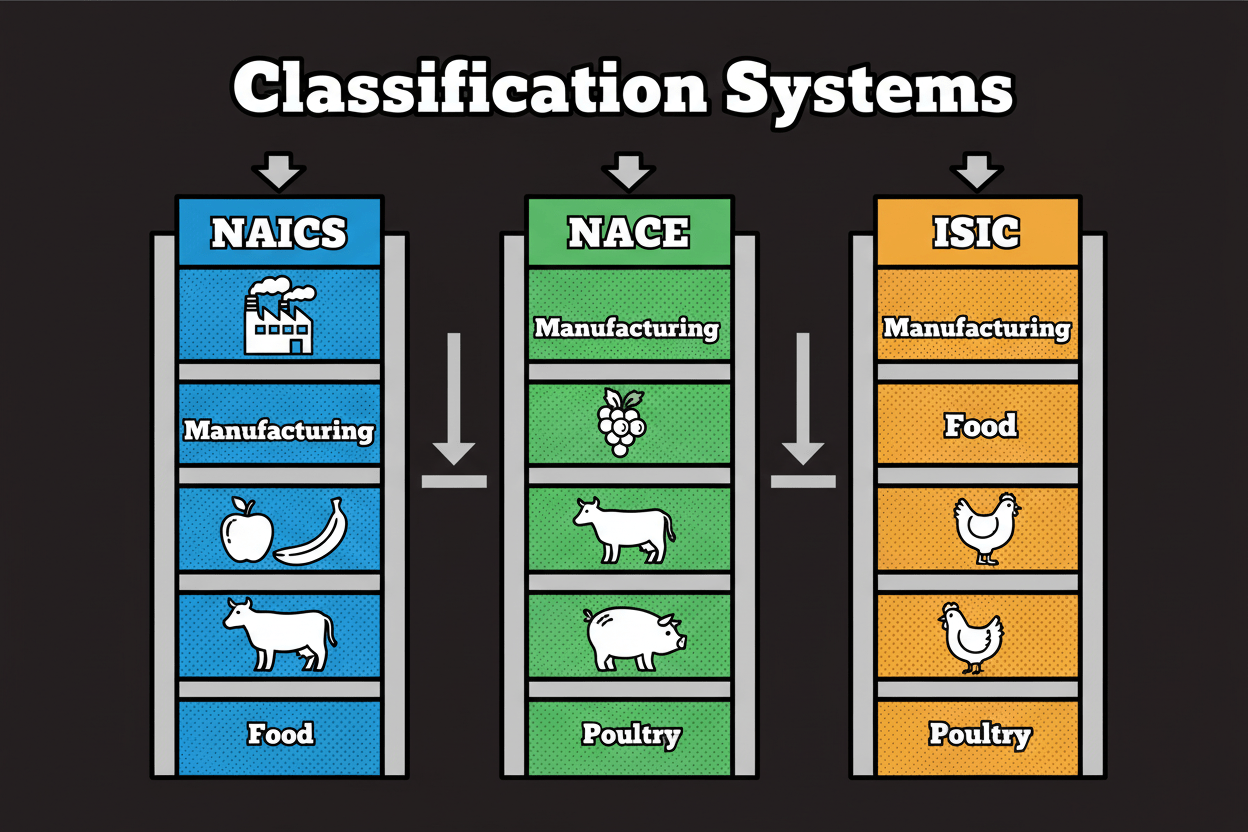
    HierarchySector → Subsector → Industry groupSection → Division → Group → ClassSection → Division → Group → Class
    Format2–6 digits1 letter + 2–4 digits1 letter + 2–4 digits
    “Manufacturing”Sector 31–33Section CSection C
    Three parallel ladders showing NAICS, NACE, and ISIC alignment

    Key differences between NAICS, NACE, and ISIC

    Definitions and hierarchy choices that change outcomes

    • E-commerce vs retail storefront: NAICS classes often focus on the merchandise line, while NACE/ISIC have stricter boundaries for store vs non-store.
    • SaaS vs custom software: NAICS separates packaged software from custom programming; NACE/ISIC boundaries can blur if delivery models aren’t tested.
    • Marketplaces vs retailers: Platforms that don’t own inventory should be classified as intermediaries. If you map by “Gross Merchandise Value” instead of activity, you’ll misclassify them.

    Case study: US-to-EU alignment with an ISIC bridge

    A US retailer with European subsidiaries adopted ISIC as a bridge.

    1. Step one: Map NAICS 44–45 (Retail Trade) into ISIC Section G.
    2. Step two: Map those ISIC codes into NACE Section G.
      This two-step process reduces ambiguity because ISIC and NACE share nearly identical structures, whereas mapping NAICS directly to NACE often results in messy “one-to-many” outcomes.

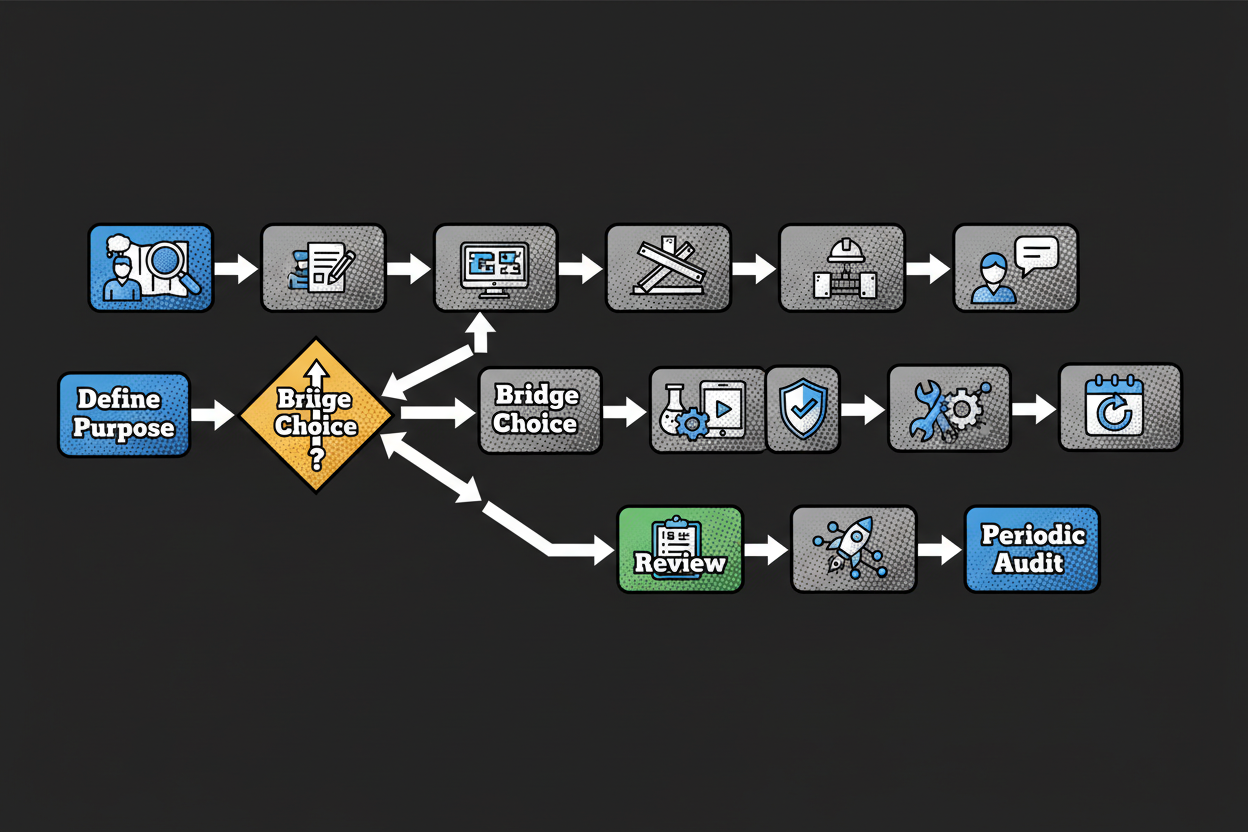
    Aligning and mapping data: practical frameworks

    1. Define purpose: Lock the exact editions (e.g., NAICS 2022) you are mapping.
    2. Collect official materials: Use Census (NAICS), RAMON (NACE), and UNStats (ISIC).
    3. Choose a bridge: Map via ISIC for international projects.
    4. Validate: Confirm boundaries using official explanatory notes.
    5. Periodic review: Revalidate after any structural updates.
    Mapping workflow flowchart

    Frequently asked questions

    Q: What is the main difference?
    NAICS is North American; NACE is European; ISIC is the UN’s global standard used as a “bridge” between the two.

    Q: How do I map a NAICS code to NACE?
    Because census.gov doesn’t host a direct NAICS-to-ISIC crosswalk, the most reliable method is to map NAICS → ISIC first, then ISIC → NACE using UNStats concordances.

    Q: Where can I download official lists?

    • NAICS: census.gov/naics
    • NACE: Eurostat RAMON server
    • ISIC: unstats.un.org/classifications

    Conclusion

    Your classification choice shapes your data’s accuracy. By anchoring your definitions to official notes and using ISIC as a neutral bridge for cross-border analytics, you ensure your reporting remains compliant and comparable.

    Key Takeaways

    • Confirm jurisdiction requirements before choosing a system.
    • Always use official explanatory notes for boundary decisions.
    • Use ISIC as a neutral bridge for international datasets.
    • Establish version control for your mapping tables.
  • The Ultimate Guide to Harmonized System Classification with Live Tariff Context

    The Ultimate Guide to Harmonized System Classification with Live Tariff Context

    Table of Contents

    Why accurate HS classification is the linchpin of modern trade compliance

    Misclassification is expensive. One retailer, Z Gallerie, agreed to pay 15 million dollars to resolve allegations it misclassified wooden bedroom furniture to avoid antidumping duties [reference:2]. That was not a rounding error. It was a hard lesson in how a wrong code can morph into an enforcement case, reputational damage, and a massive check.

    Customs tariff classification sets your landed cost. It determines base duties, triggers additional measures like antidumping or countervailing duties, and gates eligibility for preferences. Get it right and your landed cost is predictable. Get it wrong and you either overpay quietly for months or underpay and invite penalties when someone looks closer.

    It also dictates risk and speed. Officers and auditors start with your HS code. It drives which admissibility rules apply, which partner agency flags fire, and whether your shipment sails through or gets parked for an exam. A defensible HS code is your first line of risk control and your fastest path to release.

    Here is a nuance that seasoned pros know: classification errors are common, but only a subset actually change the duty owed. CBP’s compliance measurement work has long observed high performance in revenue collection even when classification errors show up in audits, because many of those are non‑revenue mistakes that shift goods between same‑rate or duty‑free provisions [reference:1]. That does not make them harmless. Non‑revenue errors still burn time, invite queries, and erode credibility. Revenue‑impacting errors can add up quickly and can turn into enforcement if they look intentional.

    The hardest part today is the data fog. You’re mapping from messy, natural‑language product descriptions to legal texts. At the same time, tariffs don’t stand still. Rates move. Quotas fill. Safeguards and special measures appear. Static spreadsheets cannot keep up, which is why live context has become the quiet advantage of top compliance teams. We will lean on it in this guide, but we’ll start with the legal backbone so your decisions stand on their own.

    Here is what you will get by reading this guide end to end:

    • A step‑by‑step method to go from natural‑language descriptions to a defensible HS code
    • How to surface live tariff context while you classify, so you see cost and risk in real time
    • A validation checklist that aligns to the GRIs, legal notes, and WCO guidance
    • A practical way to compare candidate codes side by side and choose confidently
    • An export workflow to push mappings to ERP, your broker, and reporting without per‑match fees

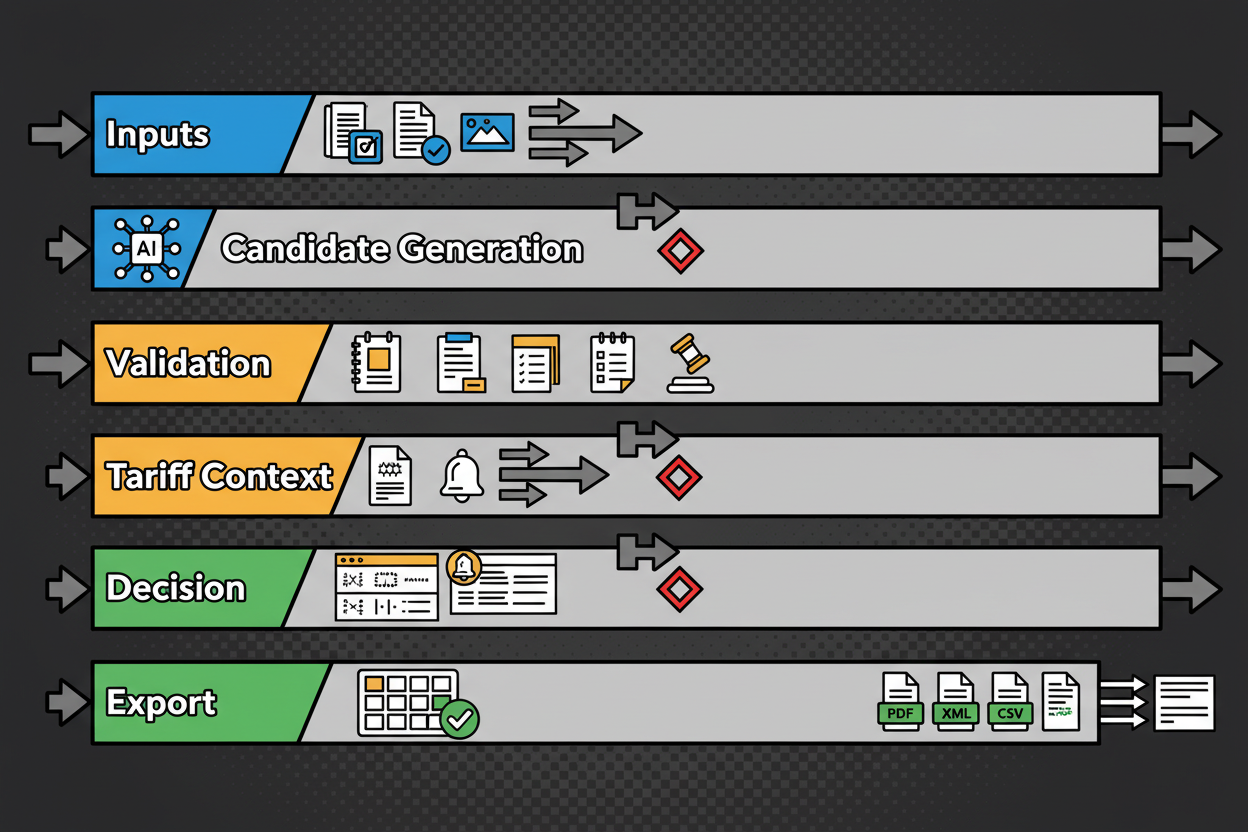
    To orient you, this is the workflow we will follow from input to export.

    A clean, horizontal swimlane diagram showing the full customs classification workflow: Lane 1 (Inputs) with stacked cards for 'Natural-language product descriptions', 'Specs', 'Images'; Lane 2 (Candidate Generation) with AI search nodes suggesting 3-5 HS headings; Lane 3 (Validation) with icons for 'GRI 1-6', 'Section/Chapter Notes', 'Explanatory Notes', 'Rulings'; Lane 4 (Live Tariff Context) with a side panel showing 'MFN rate', 'Preferential rate', 'AD/CVD', 'TRQ fill rate', 'Safeguards', and a bell icon for 'Amendments'; Lane 5 (Decision) with a comparison matrix icon and a checkmark over the selected HS code; Lane 6 (Export) with file icons 'CSV', 'XLSX', 'JSON' and connectors to 'ERP', 'Broker', 'BI Dashboard'. Each lane labeled; arrows connect left to right; key decision points marked with small diamond icons.

    We will keep it practical, cite the World Customs Organization where it matters, and show you how to document each choice. By the end, you will have a repeatable path for customs tariff classification that your auditors, brokers, and CFO can all get behind.

    Understanding the Harmonized System: structure, rules, and common pitfalls

    Let’s ground the basics fast, the way practitioners use them in real work. The Harmonized System (HS) is the global naming and numbering framework administered by the World Customs Organization. At its core are the HS Nomenclature texts (Sections, Chapters, headings, and subheadings), the General Rules for Interpretation, and the legally binding Section and Chapter Notes [reference:3]. The first six digits of a code are harmonized worldwide. Many jurisdictions then add national digits beyond six to handle tariff lines or statistical splits [reference:3].

    Think of it as a tree. Chapters set broad families. Headings narrow scope. Subheadings refine within the heading. National extensions handle local tariff detail. The law tells you to read the actual words of the headings and the relevant legal notes first, not the titles or your intuition [reference:3].

    An illustrated HS code breakdown for a sample code (e.g., 8 or 10 digits): the first two digits highlighted as 'Chapter', next two as 'Heading', next two as 'Subheading', and remaining digits as 'National extensions'. Each segment boxed with color-coded labels. On the right, a sticky-note style callout listing 'Relevant Section Note', 'Chapter Note', and 'Explanatory Note references'. A small magnifying glass icon points to 'GRI 1 applies at heading level; Rule 6 at subheading level'.

    Now, the General Rules for Interpretation (GRIs) are the roadmap. They are part of the HS legal instrument, and the official wording is published by the WCO in the HS Nomenclature and on the WCO Trade Tools site [reference:3]. We will paraphrase the ones you use most, then apply them in the next section.

    Start with Rule 1. It tells you to classify according to the terms of the headings and the relevant Section or Chapter Notes. The titles are just guides. This is where most correct classifications are settled if you read the legal notes carefully [reference:3].

    Rule 2(a) expands a heading that names a finished article to also cover an incomplete article that has the essential character of the finished one, or the same article presented unassembled. Think flat‑packed furniture or a bicycle missing a wheel. If it looks and functions like the finished thing in substance, Rule 2(a) keeps you in the same heading [reference:3].

    Rule 2(b) covers mixtures and goods of more than one material. It says that a heading that names a material also covers mixtures or combinations of that material with others, subject to the later Rules. When a product blends materials, you will often end up in Rule 3 to resolve which heading wins [reference:3].

    Rule 3 is where you live for sets, composites, and multi‑purpose goods that appear to fit more than one heading. The sequence is simple in concept: choose the most specific description if one is genuinely more specific, or if that does not resolve it, pick the heading of the component that gives the goods their essential character. If even that fails, select the heading that appears last in numerical order among the candidates [reference:3]. Essential character here is a practical test. You look for the component or feature that drives performance or consumer choice.

    Rule 5 gives special treatment to containers and packing. A fitted case that is clearly designed and shaped for a specific article, and that is presented with it, typically travels with the article when you classify the set [reference:3]. Everyday shipping cartons usually follow the goods too, but with exceptions you should check.

    Rule 6 repeats Rule 1 at the subheading level. Once you are in the correct heading, you apply the texts of subheadings and any Subheading Notes within that heading, in the same disciplined way, to reach the final six‑digit result. National splits come after [reference:3].

    What about the Explanatory Notes and Classification Opinions? The WCO publishes Explanatory Notes to clarify the scope of headings and subheadings and to provide examples and interpretation. They are not binding law under the HS Convention, but they are the official commentary and are highly persuasive worldwide. Many jurisdictions instruct decision makers to have regard to them. WCO Classification Opinions are case‑specific examples that guide consistency across countries [reference:3].

    National rulings sit below that in the hierarchy. In the United States, CBP binding rulings apply to CBP and the party to whom the ruling was issued for the specific described goods and facts. They are not legally binding on other importers, though they are often cited as persuasive precedent. If you want protection, you get your own ruling. Prior rulings in the CROSS database help you build your case but do not bind CBP in your situation if the facts differ or the law has changed [reference:4].

    Now for the traps that trip up even experienced teams. Each one ties back to a Rule or a legal note.

    • Function vs material: Don’t default to the material if a functional heading more specifically covers the product. Test Rule 1 first with the legal notes, then Rule 3(a) on specificity [reference:3].
    • Kits vs sets: Only certain retail sets get Rule 3(b) essential character treatment. Loose assortments are classified piece by piece. The Explanatory Notes to Rule 3 guide this distinction [reference:3].
    • Composite goods: Blends of materials or combined machines often require Rule 3(b). Evidence for essential character matters, not just gut feel [reference:3].
    • Parts vs accessories: Section and Chapter Notes often define parts. Some notes exclude parts of general use from “parts” headings. Read the Notes before assuming a parts heading applies [reference:3].
    • Principal use: For headings controlled by use, analyze the principal use in your market, not occasional uses. The Notes and EN examples shape this analysis [reference:3].

    If you remember one thing about HS structure, make it this: legal notes control. Always cite the exact Note that includes (or excludes) your product. Then, if you need interpretation, lean on the WCO Explanatory Notes. If you rely on a national ruling, state clearly whether it binds you or merely supports your reasoning [reference:3][reference:4].

    With that legal scaffolding in place, let’s walk a real product from messy description to a defensible code.

    From description to code: step‑by‑step classification using natural language

    We will classify a cordless drill kit that includes the drill, a lithium‑ion battery, a charger, and a fitted carrying case. This is a classic multi‑component scenario that forces you to apply Rule 3(b) and consider Rule 5(a) for the case.

    First, extract the attributes that actually drive HS classification. Most product blurbs are noisy. You want the features that map to headings and legal notes.

    • Function: hand‑held power drill for drilling holes and driving fasteners
    • Power: self‑contained electric motor, battery operated
    • Components included: one drill body, one Li‑ion battery pack, one charging unit
    • Packaging: molded, fitted hard case designed for the drill and accessories

    Next, identify the prima facie candidate headings under Rule 1 by reading heading texts and the relevant Section and Chapter Notes. The drill appears under the tools heading for hand‑held tools with a self‑contained electric motor. The separate battery could fall under the batteries chapter, the charger under electrical transformers or power supplies, and the case under trunks and similar containers. You now have multiple headings that seem to apply to parts of the bundle [reference:3].

    That brings you to Rule 3. Because the goods are put up together for retail sale and are prima facie classifiable under more than one heading, you apply the sequence in Rule 3. The most specific description test in 3(a) does not resolve it because different headings specifically describe different components. So you move to 3(b), the essential character test for sets and composite goods [reference:3].

    Which component gives the kit its essential character? The drill. It performs the core function the consumer is buying. The battery and charger are enabling components. The fitted case protects and presents the main article. The Explanatory Notes to Rule 3(b) discuss similar examples where the functional article imparts the essential character in a retail set [reference:3]. On that basis, you classify the kit as a drill under the hand‑held electric tools heading.

    Before you lock that in, consider Rule 5(a). The case is specially shaped and fitted to contain the drill and accessories and is suitable for long‑term use. When presented with the drill, such cases are classified with the article. That supports keeping the case within the drill classification, rather than classifying it separately under containers [reference:3].

    Now apply Rule 6 to pick the subheading. Within the hand‑held electric tools heading, look for the subheading that covers drills with a self‑contained electric motor. Read any Subheading Notes. Then choose the correct six‑digit subheading by the terms of those subheadings, mirroring the disciplined approach of Rule 1 at this level [reference:3]. If your market requires national extensions beyond six digits, you would continue through the national tariff splits using the same logic.

    Two final validation touches make this airtight. First, open the Explanatory Notes for the relevant heading and for Rule 3(b). If there are examples of drill kits or analogous sets, capture those excerpts in your evidence file to show the interpretation path you followed [reference:3]. Second, search national rulings databases for similar sets. In the United States, a CBP ruling on a comparable drill kit can be persuasive support, but it does not bind CBP for your imports unless the ruling was issued to you for the same goods and facts. Treat third‑party rulings as helpful precedent, not as law you can rely on without question [reference:4].

    You now have a defensible HS code derived from the legal texts and the GRIs, with a clear reasoning trail. In the next part of the guide, we will layer in live tariff context so you can see duty rates, additional measures, and quota signals at the exact moment you make the call.

    Surfacing live tariff context: duty rates, quotas, safeguards, and amendments

    You now have a defensible HS code. Great. Next, you need to see what that code actually costs you today and what risks ride along with it.

    Live tariff context is the real-time picture around a tariff line. It shows the base duty, any preferential duty by origin, plus everything layered on top, like additional duties, quotas or tariff rate quotas, and safeguards. Think of it as the operational lens you apply to the legal classification you just finished. You still start from the HS structure and GRIs, then read measures and rates that your market applies to that code [reference:3].

    Here’s what “live” typically includes for customs professionals:

    • Base or MFN duty rate for the importing country, preferential rates by origin, and seasonal rates if the line changes in defined windows
    • Additional measures: surtaxes, anti-dumping, countervailing, and safeguards that sit on top of base or preference
    • Quotas and TRQs with current fill status, remaining quantity, and thresholds
    • Amendments and scope updates on the code or measures, plus notes or rulings that affect interpretation [reference:3]

    Why does this matter? Because the HS gets you to the correct legal box, but duties and measures change. Some measures turn on or off with quota fill. Some apply only with certain origins. Static PDFs can’t capture that movement. The WCO provides the legal scaffolding for classification and publishes the official HS and Rules, while national tariffs layer on current measures and rates. Treat the HS texts as your legal base and use live national tariff data to capture current application [reference:3].

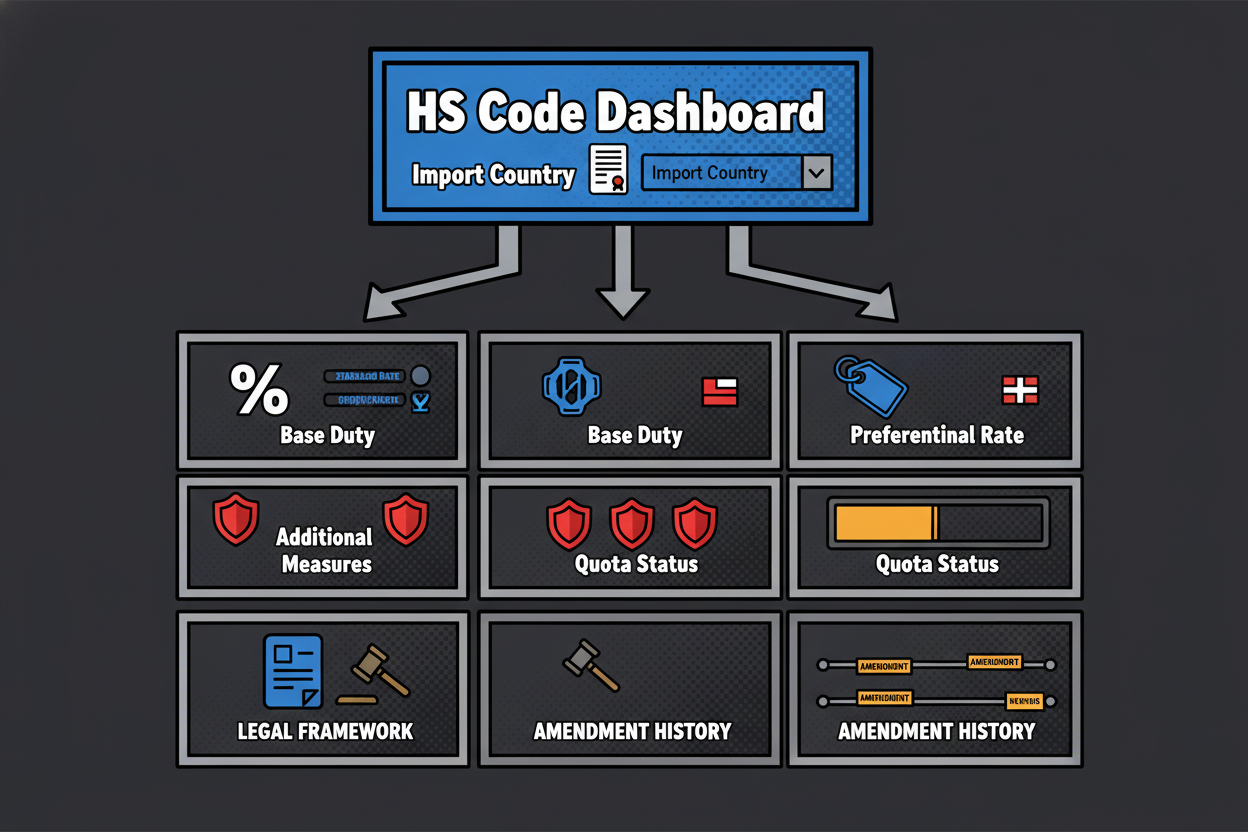
    A side-by-side dashboard view with a selected HS code at the top and a collapsible panel below showing: 'Country of import', 'Base/MFN duty (%)', 'Preferential duty (%) with origin flag', 'Additional duties (AD/CVD) as badges', 'TRQ status with progress bar fill and remaining quantity', 'Safeguards indicator', 'Measure legal basis with link icons', and 'Latest amendments' listed as concise tags. Color accents for alerts (red for additional duties; amber for partial TRQ fill).

    Let’s unpack the moving parts you’ll read in a live panel.

    Base and preferential rates. The base, often called MFN, is your default. Preferential shows what applies if your origin meets a trade agreement’s rules. Some lines are seasonal. If the code has seasonal periods, the panel should show which period you are in and the rate in effect.

    Additional duties. These are the silent budget breakers. Anti-dumping and countervailing duties target unfair pricing or subsidies. Safeguards respond to import surges. Surtaxes and special measures can appear on short notice. Your live panel should flag them clearly so you don’t rely on a base rate that looks harmless while a large additional duty actually applies [reference:3].

    Quotas and TRQs. A quota is a hard cap. A TRQ splits a quantity into two bands: a lower in-quota rate up to a limit and a higher over-quota rate after. You want three things here: the unit of measure, the total in-quota quantity, and the current fill status. A progress bar or a remaining-quantity figure lets you plan timing. If you rely on a lower in-quota rate for pricing, you need alerts as the fill rate approaches the ceiling.

    Amendments and updates. Tariff lines can change text, notes, and rates. New classification opinions or national rulings can shift practice. While the WCO manages HS updates and explanatory guidance, national administrations update rates and measures whenever policy requires. You want an update feed that tells you when a rate changed, a note was adjusted, or an administrative ruling impacted scope, so you can re-validate key SKUs at the right time [reference:3].

    How often does this move? In practice, base nomenclature has structured cycles, and national measures update as policy changes. That’s why static spreadsheets or PDFs are risky. You lose the thread on mid-cycle actions like a TRQ opening, a safeguard trigger, or a measure suspension. Live context keeps your costing and compliance aligned to what’s in force now [reference:3].

    Before and after: the cost of classifying without live context

    Picture a small appliances importer classifying a multifunction kitchen machine. Their static sheet shows a base rate that’s attractive. They pick a subheading, lock pricing, and ship. Only later do they learn that for their origin, an additional duty applied to that heading, while a near-by subheading carried no additional measure but a slightly higher base rate. Net effect: the static pick looked cheaper but cost more because of the added measure.

    Now replay with live context on screen. The candidate comparison shows the base and preferential rates for both options, plus a red badge on the additional duty for the first choice. The second choice has no additional measure, and there’s no TRQ. The team chooses the second subheading, avoids the added duty, and documents the decision logic. That is the difference between hoping your static data is current and proving your decision with what is actually in force.

    Validation, comparison, and export: streamlining your classification workflow

    You’ve got a candidate code and live context at hand. Lock it down with a validation flow that stands up in an audit. Keep it simple, consistent, and evidence-first.

    • Record the GRI path: which Rules you applied and in what sequence, from Rule 1 through Rule 6 as needed [reference:3]
    • Cite the exact legal texts: heading terms plus any relevant Section or Chapter Notes that control scope [reference:3]
    • Add Explanatory Notes excerpts and any WCO Classification Opinions consulted, as persuasive support [reference:3]
    • Check national rulings: if your jurisdiction has a rulings database, capture relevant IDs and note they are persuasive unless issued to you; in the U.S., CBP binding rulings bind CBP and the requester but not third parties [reference:4]
    • Attach your live tariff snapshot: MFN and preferential rates, measures, TRQ status, and any alerts you relied on
    • Timestamp everything and sign off internally so you can show who decided what and why

    With your evidence in place, compare candidates side by side. Bring legal fit and cost into the same frame so stakeholders see the full picture.

    Candidate HS code comparison

    Field What to capture Why it matters
    Candidate HS code Heading/subheading under consideration Anchors legal scope to specific text
    Legal scope summary Plain-language summary of heading/subheading text Ensures you classify by terms of the heading (GRI 1) [reference:3]
    Relevant Section/Chapter Notes Specific notes that include or exclude product features Legal notes control scope; cite note identifiers [reference:3]
    Explanatory Notes excerpts Key EN guidance supporting inclusion/exclusion Persuasive interpretation and examples [reference:3]
    GRI path applied Rules invoked (e.g., 1, 3(b) essential character, 6) Documents interpretative logic [reference:3]
    Product-feature fit Yes / Partial / No, with 1-line justification Makes fit transparent to reviewers
    Rulings alignment Related rulings IDs and stance, noting binding vs persuasive Adds persuasive support; third-party rulings are not binding [reference:4]
    Duty impact Base/MFN rate and preferential rate (if origin known) Cost impact comparison across candidates
    Additional measures AD/CVD, safeguards, excise, surtaxes, with flags Highlights risk or cost beyond ad valorem rates
    TRQ exposure TRQ presence and current fill status Availability and timing implications
    Risk notes Scope ambiguity, exclusion notes, interpretative risks Supports internal risk decisioning
    Evidence references Links or IDs to notes, ENs, rulings, internal memos Traceability for audits [reference:3][reference:4]
    Comparative score 1-5 score on fit and risk with brief rationale Roll-up to select final code

    Example comparison for the cordless drill kit:

    Field Example entry – A Example entry – B
    Candidate HS code 8467.21 8507.60
    Legal scope summary Hand-held tools with self-contained electric motor, drills Lithium-ion batteries
    Relevant Section/Chapter Notes Section XVI notes on parts and composite goods; Chapter 84 notes on tools Section XVI notes excluding parts of general use from parts headings
    Explanatory Notes excerpts EN to 84.67 covers hand-held drills; EN to Rule 3(b) on sets EN to 85.07 covers accumulators, not sets dominated by a tool
    GRI path applied Rule 1 for heading; Rule 3(b) essential character of retail set; Rule 5(a) case with the article; Rule 6 for subheading [reference:3] Rule 1 would only apply if classifying the battery alone; fails Rule 3(b) for the set [reference:3]
    Product-feature fit Yes – drill imparts function; battery and charger support No – does not reflect the main function of the retail set
    Rulings alignment Similar CBP rulings on drill kits support Rule 3(b) outcome (persuasive) [reference:4] Not aligned for retail kit context
    Duty impact See live panel for MFN/preferential by market See live panel; would misstate cost for the set
    Additional measures None flagged for the tool line in example market N/A for the set
    TRQ exposure Not applicable Not applicable
    Risk notes Ensure no more specific subheading applies within 84.67 Misclassification risk and audit exposure
    Evidence references GRI pathway notes, EN 84.67, EN Rule 3(b), internal memo N/A
    Comparative score 4.8/5 1/5

    You can run the same grid for any product family. The structure forces clarity. Legal fit comes first. Cost and measures ride second, but they sit in the same view so decision makers see the trade-offs.

    Export your mappings without per-match fees

    Once a code is validated, you need it where work happens: ERP, broker portals, purchase systems, and BI dashboards. That means structured exports with evidence fields so your decisions remain traceable and easy to refresh.

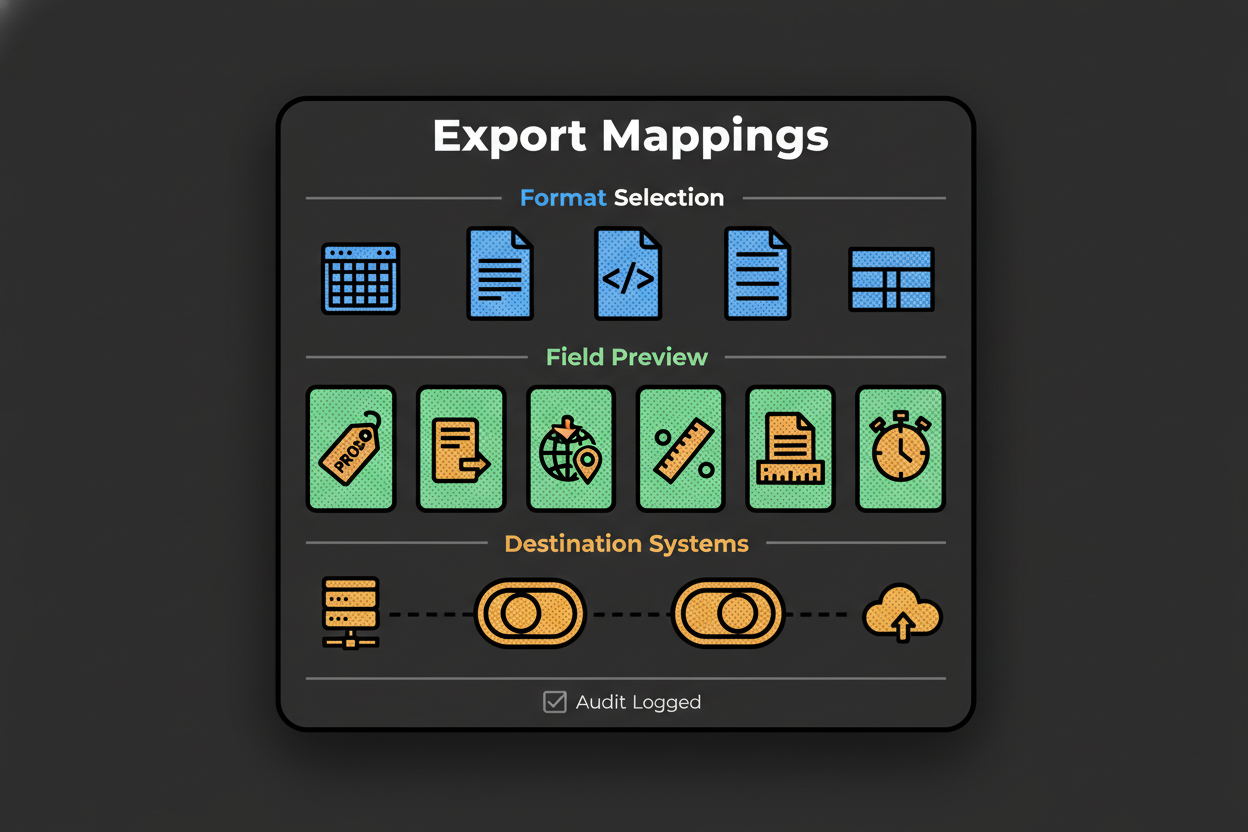
    A modal window overlay titled 'Export Mappings' with checkboxes for formats (CSV, XLSX, JSON), a field mapping preview grid (SKU, Normalized Description, HS Code by Market, Duty Rate, Measures, Evidence References, Timestamp), and destination toggles to 'ERP', 'Broker Portal', 'Data Lake'. A confirmation button labeled 'Export without per-match fees' and a small note reading 'All exports logged for audit'.

    Push codes out in the formats your stack expects. Include the SKU, the normalized description used for classification, HS code by market, duty rate and measures snapshot, evidence references, and a timestamp. Each export should log who exported what, when, and where it went. That single habit cuts audit scramble time dramatically.

    Per-match fee models punish you for doing the right thing, like revalidating at tariff change or refreshing a whole catalog. A flat, unlimited export model encourages routine checks and batch updates. The difference shows up in both cost and risk behavior [reference:1].

    Cost comparison: per-match vs unlimited export

    Dimension Per-match model Unlimited export model
    Pricing unit Price per classified SKU or transaction Flat license for unlimited classifications/exports
    Predictability Costs scale linearly with volume; budget volatility at peak cycles Stable cost; plan annually regardless of spikes
    Update cadence cost Reclassification triggers new charges No incremental cost to re-export updated mappings
    Team collaboration Disincentivizes re-checks due to cost Encourages peer review and periodic re-validation
    ERP/Broker sync Costly to refresh entire catalog Routine batch exports without penalties
    Total cost formula Unit price x monthly matches Flat fee + optional seats
    Example scenario If unit price is X and 10,000 SKUs refreshed quarterly, cost = 40,000X per year Single license covers initial and quarterly refreshes at no extra per-SKU cost
    Risk of under-classification Higher, due to cost avoidance behavior Lower, because reviews are not penalized

    When you stop counting clicks, your team focuses on quality: better evidence files, more frequent rechecks, and faster pushes to ERP and your broker. That is how you keep classification errors from becoming revenue-impacting surprises [reference:1].

    Frequently asked questions: HS classification and live tariff context

    Q: How often do tariff rates and measures change, and how should I track them?
    A: The HS legal framework is stable and managed by the WCO, but national duty rates and trade measures change whenever policy requires. Use live tariff context so you see current MFN, preferences, measures, and TRQ status when you classify. Set alerts for amendments and scope notes so you can re-validate high-volume SKUs at the right time [reference:3].

    Q: What if my product doesn’t fit any obvious HS code?
    A: Work the GRIs in order. Test heading terms and legal notes under Rule 1. If more than one heading fits, apply Rule 3. If it still resists, Rule 4 points to the goods it most closely resembles. Document each step and cite any Explanatory Notes used to interpret scope [reference:3].

    Q: How do I stay compliant when rulings or notes shift?
    A: Keep an evidence file for each decision. If a WCO Explanatory Note or a national interpretation changes, you can revisit the exact logic you used and adjust. In the U.S., a CBP ruling protects the requester and CBP for the covered facts. Others may cite the ruling as persuasive, but it is not binding on them. Monitor for modifications or revocations and keep your internal mapping aligned [reference:3][reference:4].

    Q: Can I automate classification for large catalogs without losing control?
    A: Yes, but keep humans in the loop. Use AI to generate candidates and highlight relevant notes. Then a specialist applies the GRIs, checks Explanatory Notes, reviews any rulings, and records the GRI path. Export with evidence and timestamps so your automation stays auditable [reference:3][reference:4].

    Q: How do I handle ambiguous or multi-use products?
    A: For composites, mixtures, or retail sets, Rule 3(b) pushes you to essential character. If two headings remain equally plausible, Rule 3(c) picks the one that appears last among those considered. Always tie your conclusion to the wording of legal notes and capture EN excerpts that support your interpretation [reference:3].

    Q: Where do Explanatory Notes and national rulings sit in my evidence file?
    A: Start with binding texts: heading terms and Section or Chapter Notes. Add EN excerpts and any WCO opinions as persuasive guidance. National rulings sit below that. In the U.S., a ruling binds CBP and the requester; for everyone else, it is persuasive and should be cited as such with a note on its scope [reference:3][reference:4].

    Modernizing customs classification for compliance and efficiency

    When you combine a disciplined GRI-based process with live tariff context, you control both legality and cost. You reduce the risk of enforcement outcomes like penalty cases built around misclassification and avoided duties, and you catch non-revenue errors before they chew up your team’s time [reference:2][reference:1].

    The workflow you saw is practical: extract attributes, generate candidates, validate with GRIs and notes, open live context, compare and decide, then export with evidence. That’s how high-performing teams cut through messy descriptions, moving tariffs, and audit pressure without slowing the business.

    Here’s a tight checklist you can implement right away:

    • Normalize product descriptions and extract classification attributes
    • Generate candidate headings and read the legal notes under Rule 1 [reference:3]
    • Apply GRIs 2 and 3 as needed, then Rule 6 at subheading level; capture EN support [reference:3]
    • Open live tariff context to compare MFN, preferences, measures, and TRQs
    • Document rulings alignment and whether any cited ruling binds you [reference:4]
    • Decide, record the evidence and timestamp, and export to ERP and your broker
    • Set alerts to re-validate high-volume SKUs when measures or notes change

    Adopt this now, and your customs tariff classification stops being a fire drill and becomes a repeatable, auditable advantage.

    Key Takeaways

    • Classification decisions must start with the HS legal texts and GRIs; live tariff data shows cost and risk in force now [reference:3]
    • Document your GRI path, cite legal notes and ENs, and note any rulings’ binding status [reference:3][reference:4]
    • Compare candidates on legal fit and live measures in one view so cost and compliance move together
    • Export mappings with evidence and timestamps, and avoid per-match fees that discourage revalidation
    • Use alerts to recheck critical SKUs when amendments, measures, or TRQs shift, minimizing revenue-impacting errors [reference:1]
  • Ultimate NAICS Code Lookup: Fast, Accurate Business Classification

    Table of Contents

    NAICS Code Lookup Made Simple: Instantly Classify Any Business

    You’re registering an LLC and the form stops you cold: “Enter your NAICS code.” You sell mobile coffee catering at events. Are you a restaurant, a caterer, or a mobile food service? The wrong pick can create headaches later, but the page you’re on doesn’t explain much. You just need a clear, confident answer now.

    That’s why a reliable naics code lookup matters. Your NAICS code shows up on state and federal forms, tax filings, grant and contract applications, and even in market research databases. Pick the code that fits your core activity and doors open smoothly. Pick a near-miss and you can trigger mismatched requirements, delay approvals, or skew your own internal reporting.

    Traditional lookup tools make this harder than it needs to be. You type a keyword and get a laundry list of similar results. The titles sound alike. The hierarchy feels cryptic. Some tools charge per match and don’t scale, which is painful if you’re classifying dozens or thousands of records.

    Our approach keeps it simple and precise. Instead of relying only on keywords, the tool uses semantic embeddings to understand meaning. If you describe “mobile coffee cart catering for events,” it grasps that this is closer to catering or mobile food services than a sit-down restaurant. You get confidence-scored candidates and a short “why this match” rationale that shows matched terms and exclusions in plain language.

    NAICS code lookup interface showing search results with confidence scores and rationale

    You can run a single lookup, upload a list for bulk classification, or integrate via API. There are no per-match fees, so scale is practical. And if your team needs oversight, you’ll appreciate review queues, assignable approvals, and audit logs that make human-in-the-loop governance straightforward.

    Here’s what you can expect when you use this naics code lookup:

    • Get accurate, semantic matches that go beyond keywords
    • See confidence scores with short, transparent rationales
    • Compare adjacent codes side by side before deciding
    • Classify at scale with bulk CSV and a clean API
    • Avoid surprise costs with predictable, no per-match fees

    If you’ve ever wondered, “How do I find the right NAICS code without second-guessing it?”, you’re in the right place. You’ll learn what NAICS codes are, how the hierarchy works, and how to use modern matching to pick the best code. Then you can find your NAICS code and move on with confidence.

    Understanding NAICS Codes: The Foundation of Business Classification

    NAICS is a standardized business classification system used to group organizations by their main economic activity. Think of it as a common language for how businesses operate. Agencies, lenders, and researchers use it to align forms, taxes, programs, and datasets around consistent categories. You use it to signal what you primarily do.

    NAICS codes follow a hierarchy. Each digit adds more detail, moving from broad sector to specific industry. A common example you’ll see in consulting is 541611, which stands for Administrative Management and General Management Consulting Services. Here’s how the breadcrumb unfolds as you drill down in meaning: 54 → 541 → 5416 → 541611.

    At the 2-digit level, 54 represents Professional, Scientific, and Technical Services. This sets the high-level context. At the 3-digit level, 541 narrows to professional, scientific, and technical services as a subsector. The 4-digit level, 5416, points to Management, Scientific, and Technical Consulting Services, which filters to advisory work. Finally, 541611 specifies general management consulting, a focused slice of consulting activity.

    Diagram of NAICS hierarchy from sector to industry with a selected code highlighted

    Getting that hierarchy right matters. Suppose you run an ecommerce jewelry brand. Your core is online retail, product photography, and customer service. If you grab a code that sounds close but isn’t – like jewelry manufacturing – you signal you primarily fabricate jewelry instead of selling it online. That can cause misalignment with lenders, push you into the wrong reporting bucket, or lead to missed grant opportunities designed for retailers. Pick the correct retail code, and everything from tax treatment to market comps lines up with your real business model.

    This is where modern tools stand apart from keyword-only search. They interpret your description, suggest confidence-scored candidates, and let you explore adjacent codes that are close in meaning. You can open the hierarchy to verify the sector and drill down until the description matches your core activity. And when two codes look similar, side-by-side comparisons help you choose with clarity.

    Here’s a clear snapshot of traditional versus modern lookup:

    Traditional NAICS lookup Modern AI-powered lookup
    Input handling: keywords only Input handling: business description + website
    Synonyms and intent: exact match Synonyms and intent: semantic understanding
    Explainability: none Explainability: “why this match” rationale
    Confidence and thresholds: absent Confidence and thresholds: 0-100 score with action bands
    Adjacent codes exploration: manual Adjacent codes exploration: guided comparison
    Scale: one-by-one Scale: bulk CSV/API with webhooks
    Cost model: per-match fees Cost model: predictable pricing
    Quality governance: ad hoc Quality governance: review queues, audit logs

    You might be wondering where NAICS shows up in your day to day. You’ll see it in business registrations and licensing, tax returns, government forms, grants and contracting programs, and market research or competitor analysis. It’s a simple code with wide impact.

    • Use it for registrations and licensing workflows
    • Include it on tax filings and related documentation
    • Complete government forms and eligibility checks
    • Apply for grants and contracts with accurate classification
    • Run market research and competitor mapping by industry

    One last point on precision. Even seasoned pros can get stuck between two close codes, especially when a business offers more than one service. Confidence-scored candidates and guided adjacent code comparisons help you break the tie. Confirm the hierarchy fits your primary revenue stream, read the short rationale, and choose the code that tells the most accurate story of what you do.

    Up next, you’ll see how to put this into practice in the tool – from a single search to bulk uploads and API integrations – so you can make confident, consistent selections at any scale.

    How to Use the NAICS Code Lookup Tool for Fast, Accurate Results

    You now understand how NAICS hierarchy works. Let’s put it into action. Here’s how to use the naics code lookup to go from a plain description to a confident, defensible code in minutes.

    Start with a single lookup. Type a short description of what you do or your company name. If you have a website, add it. The tool reads your text and, if provided, skims high-signal parts of your homepage to add context like your tagline and H1.

    Results appear as the top 3 candidates with codes, titles, and confidence scores. Each suggestion has a short “why this match” rationale that highlights matched terms and any exclusions. This is where you quickly see why a code fits and which nearby codes were rejected.

    Callouts showing matched terms and exclusions that explain a NAICS suggestion

    Use the adjacent code comparison to inspect close neighbors. Open the hierarchy breadcrumb to confirm sector alignment. If you’re torn, read the brief descriptions and choose the code that reflects your primary revenue stream, not a side activity. Then save it as your primary code and export for your forms. If you want a second opinion, send the result to a teammate for quick review.

    So how does it make these suggestions? Behind the scenes, the lookup uses semantic embeddings. Think of embeddings as plotting meanings on a map. “Mobile coffee cart catering for events” lands near catering and mobile food services on that map, even without exact keyword matches. That’s why semantic matching outperforms simple keyword search for nuanced business descriptions.

    Your score blends multiple signals for accuracy. We combine the embedding similarity with keyword coverage, subtract negative signals that hint at close-but-wrong categories, and optionally include website context. The result is a confidence score from 0 to 100 with clear action bands:

    • 90-100 very strong – safe to accept and export
    • 75-89 strong – accept or quick review if stakes are high
    • 60-74 moderate – verify hierarchy and compare adjacent codes
    • Below 60 low – add more detail or ask a specialist to review

    Confidence score gauge illustrating Very strong to Low bands

    Here is the quick path that many users follow for a fast win.

    How do I find the right NAICS code for my business?
    1) Describe what you do in one or two plain sentences.
    2) Enter your description or company name into the lookup.
    3) Compare the top 3 codes and their confidence scores.
    4) Open the hierarchy and confirm the sector fits your core activity.
    5) Pick the primary code, save it, and export for your forms.
    6) If confidence is low, add more detail or compare adjacent codes.

    When you need to classify many records, switch to bulk. Upload a CSV or Excel file. Map your columns to the fields the tool expects, like description, company name, and website. You’ll see an instant validator for missing fields or malformed URLs, so you can fix issues before processing.

    The batch runs in chunks, deduplicates by name and website, and applies the same scoring to each record. Results show proposed codes, confidence, and a short rationale. You’ll also see quality flags such as LowConfidence, AdjacentCodesClose, or NeedsReview. Filter by flags or set an approval threshold, for example accept everything at 85 and above, and route the rest to reviewers. Approvers can add notes and finalize the primary code per record. Then export approved-only results. No per-match fees means you can iterate without worrying about costs.

    Bulk NAICS lookup flow showing upload, column mapping, and results with quality flags

    If you want to automate this inside your systems, use the API. Authenticate with a bearer token and call versioned endpoints for single or bulk lookup. Send a JSON payload that includes description, company name, website, and location if you have it. You’ll receive candidates with codes, titles, confidence scores, rationales, and hierarchy breadcrumbs. For bulk, submit a batch and provide a callback URL. Webhooks notify you as chunks complete, and you can fetch final results anytime. Use idempotency keys to safely retry requests, and rely on versioned endpoints to keep integrations stable as capabilities expand.

    Sequence diagram of NAICS API request, webhook callback, and result retrieval

    A few best practices make this fly. Describe your main activity in one to two sentences. Include the verbs that matter, like “manufactures,” “installs,” “resells,” “consults,” or “repairs.” Add your website to lift accuracy. For teams, set a confidence threshold that fits your risk level and route anything below to a review queue. If two codes look similar, open both hierarchies and pick the one that best aligns to your core revenue. Ready to move forward? Find your NAICS code and keep your registration or filing on track.

    Use this quick verification checklist before you export:

    • Does the sector and industry hierarchy align with your core activity?
    • Is the description under the code consistent with what you mainly do?
    • For multi-service businesses, is the chosen code tied to your primary revenue stream?
    • Did you compare at least one adjacent code to avoid near-miss errors?
    • Is your confidence score at or above your internal threshold (e.g., 80+)?
    • Will regulators, lenders, or partners read this code as consistent with your documentation and website?
    • Did you record your rationale and source for audit and repeatability?

    Real-World Applications: Why Accurate NAICS Codes Matter

    Accurate classification is not just a formality. It moves work forward across registrations and licensing. When your NAICS code matches what you actually do, filings are less likely to stall. Reviewers see consistent signals across your application, website, and documents.

    It affects taxes too. Your code can influence how activities are interpreted for reporting. A near-miss can create confusing questions or extra back-and-forth. Get the right code and your filings are simpler to prepare and easier to defend.

    Grants and contracts often filter by industry. If your code suggests a different focus than your project, eligibility checks can fail. With a precise match, your proposal lands in the right bucket, and your odds improve.

    Compliance reporting and surveys also use NAICS. A clean, consistent code reduces rework later and keeps your internal metrics aligned to the market you actually serve. Your analysts will thank you.

    Market research gets better with the right classification. When your code is accurate, your peer set, competitive landscape, and growth benchmarks make sense. You can compare apples to apples instead of blending unlike businesses.

    Here’s a simple case study. A regional facilities services firm described itself as “energy-efficient upgrades and ongoing building maintenance.” Initial results showed two top codes with close scores. One leaned toward general building maintenance. The other looked like specialized energy efficiency contracting. The confidence was moderate, around the low 70s. The team added the company’s website, which emphasized HVAC retrofits and commissioning. The rationale updated to highlight “retrofit, commissioning, energy performance contracts,” and the confidence jumped above 90. They selected the specialized contracting code, attached the rationale to their internal record, and submitted their registration. Licensing cleared without follow-up questions, and the firm later qualified cleanly for an energy-focused procurement that matched the selected code.

    Want to avoid common mistakes? Keep this tight list in mind:

    • Writing a vague description: Add verbs and outcomes, like “installs solar panels” instead of “solar.”
    • Choosing a code for a side activity: Anchor on your primary revenue stream, not a secondary service.
    • Ignoring the hierarchy: Open the breadcrumb and make sure the sector matches your core activity.
    • Skipping adjacent code comparison: Compare near neighbors to avoid close-but-wrong selections.
    • Over-trusting keywords: Use semantic description with context, not just a single noun.
    • Accepting low confidence: If the score is below your threshold, add detail or request review.
    • Not documenting rationale: Save the “why” so you can defend the choice later.
    • Forgetting to revisit after a pivot: Re-check your code when your business model shifts.

    Notice how the confidence bands guide action. Very strong or strong scores are usually safe to accept, especially when the hierarchy and rationale line up with your documents. Moderate scores should trigger the verification checklist and an adjacent code comparison. Low scores are a sign to add detail, include a website, or escalate to a human reviewer.

    Use the naics code lookup to power all of this at scale. Single searches get you unstuck fast. Bulk uploads help teams classify thousands with review queues and audit trails. The API lets you embed consistent decisions in your systems. When you’re ready, find your NAICS code and move forward with clarity.

    NAICS Code Lookup FAQ: Your Essential Questions Answered

    You’ve seen how the tool works. Now let’s clear up the questions that come up most when you run a naics code lookup and want to get it right the first time.

    How do I choose the right NAICS code if my business does more than one thing?

    Choose the code that reflects your primary revenue stream. Regulators and lenders expect the code to match what you mainly do, not a side service. If you split revenue across lines, pick the activity that drives the largest share and list others as secondary.

    Why this matters: Forms, eligibility, and market analyses assume the primary code tells your core story. A split focus can confuse that story if you pick a secondary activity.

    Action: Write one or two sentences that describe your main offering, run the lookup, and select the highest-confidence code that matches your core revenue. Save secondary codes in your records for internal reporting if needed.

    What if my description returns multiple high-confidence codes?

    Compare the top 3 candidates and open each hierarchy. You’re looking for the sector and industry that best fit your business model. When two codes look close, read the “why this match” rationale and check which code excludes terms that don’t match you.

    Why this matters: Adjacent codes can be separated by small but important differences, like reselling vs manufacturing or consulting vs implementation.

    Action: Use the guided adjacent code comparison, verify the breadcrumb hierarchy, and pick the code that aligns with how you earn money and deliver value.

    How does the tool calculate confidence scores and what do the bands mean?

    Trust the score as a decision aid, not a black box. The tool blends several signals: semantic embeddings similarity (meaning on a map), keyword coverage, negative signals that push away from near-miss categories, and optional website context to ground the match.

    Why this matters: Composite scoring reduces false positives and highlights when more info is needed.

    Action: Use bands to decide your next step:

    • 90-100 very strong: accept and export.
    • 75-89 strong: accept or quick review for high-stakes filings.
    • 60-74 moderate: verify hierarchy, compare neighbors, add detail.
    • Below 60 low: provide more context or escalate for review.

    Can I find a NAICS code by business description, not just keywords?

    Yes. Enter a plain-language description of what you do. Semantic embeddings map your meaning to codes, even if you don’t use the exact NAICS wording.

    Why this matters: Real businesses describe themselves with diverse phrases. Meaning-based matching captures intent and synonyms.

    Action: Write one or two sentences with active verbs that describe your work, such as “installs HVAC systems for commercial buildings” or “sells handmade jewelry online,” and run the naics code lookup.

    How can I run NAICS lookup for thousands of records?

    Use bulk classification with a CSV or Excel upload, or integrate the API. Both options apply the same scoring and rationale at scale, and surface quality flags and review queues for governance.

    Why this matters: Manual one-by-one work doesn’t scale and creates inconsistency across teams.

    Action: Upload a file with columns like record_id, company_name, description, and website. Set an acceptance threshold (for example 85), auto-approve above the threshold, and route the rest to reviewers. If you prefer automation, use the API and webhooks to sync results into your systems.

    What if my business changes focus over time?

    Revisit your code when your primary revenue or delivery model changes. A shift from consulting to software, from reselling to manufacturing, or from local services to ecommerce can move you into a different industry group.

    Why this matters: Outdated codes cause eligibility mismatches, reporting errors, and misleading benchmarks.

    Action: Update your description, rerun the lookup, compare adjacent codes, and log your rationale and final decision for audit and consistency.

    Can I access this via API and automate classification in my systems?

    Absolutely. Use the versioned endpoints to send descriptions, names, and websites and receive candidates with codes, scores, rationale, and hierarchy. For batch jobs, submit a bulk request with a callback URL to get progress updates and results.

    Why this matters: Automation keeps classifications current and consistent across CRMs, ERPs, and data warehouses.

    Action: Implement the single-lookup endpoint for real-time forms and the bulk endpoint for data refreshes. Use idempotency keys for safe retries and webhooks for completion events.

    What should I do if my confidence score is low or ambiguous?

    Add context, compare neighbors, and tighten your description. Low scores signal that the system sees multiple plausible directions or lacks signal.

    Why this matters: A little extra detail can move a result from moderate to very strong by clarifying intent.

    Action: Try these quick fixes for low confidence:

    • Include your website URL to add context
    • Add key verbs like “manufactures,” “installs,” or “resells”
    • Specify your channel, such as “online retail” or “wholesale”
    • Clarify audience, for example “commercial” vs “residential”
    • Compare at least one adjacent code and read the rationale
    • Remove terms that might imply a different industry

    Behind the scenes, embeddings place your description on a meaning map next to NAICS definitions, then composite scoring weighs overlapping keywords, penalizes close-but-wrong signals, and pulls in optional website context. The score tells you how tight that match is and what action to take. Use the hierarchy and rationale to confirm you’re telling the right story about your business before you export.

    Get Started with Accurate NAICS Code Lookup Today

    Accurate classification saves time, prevents rework, and keeps your filings and applications moving. With an AI-powered naics code lookup that understands meaning, you get fast suggestions, confidence-scored results, and plain-language rationales. Whether you’re running a single query, processing thousands in bulk, or automating via API, you get consistent, scalable outcomes without per-match fees.

    Here’s what this looks like in practice. A mobile medical testing provider described “on-site lab screening for employers.” Initial results showed two strong codes, one for medical labs and one for on-site screening services. Confidence was strong but not definitive. They added their website, which emphasized employer contracts and mobile units. The rationale highlighted “on-site employer screening, mobile units, occupational health,” the confidence moved into very strong, and they selected the services code. Their registration cleared quickly, and a contract they were pursuing aligned perfectly with the chosen code.

    Ready to act? Find your NAICS code, Upload a CSV, Get API access, and Talk to an expert if your use case is complex. The goal is simple: make the right choice once and use it confidently everywhere you need it.

    • Speed with confidence: get a defensible code in minutes
    • Scale without surprises: bulk and API, no per-match fees
    • Clear decisions: rationale, hierarchy, and confidence bands
    • Built for teams: review queues and audit logs for governance

    Choose accuracy now so your forms, filings, and growth plans stay on track. When your classification matches your business model, everything else flows easier.

    Key Takeaways

    • Describe your core activity in one or two sentences and run the lookup for a fast, high-confidence match.
    • Use confidence bands and the hierarchy breadcrumb to confirm the sector fits your business model.
    • For multi-service companies, select the code tied to your primary revenue stream and document the rationale.
    • Scale classification with bulk uploads or the API and set review thresholds to govern quality.
    • Revisit your code when your business focus changes to keep filings and eligibility aligned.
  • Ultimate NAICS Code Identification Tool: Instant Business Classification Guide

    Ultimate NAICS Code Identification Tool: Instant Business Classification Guide

    Table of Contents

    Unlock Instant NAICS Code Classification for Any Business

    You need a NAICS code for a form, a grant, or a vendor setup. After ten tabs and conflicting lists, you still aren’t sure which one fits. Classifast turns that guesswork into a 10-second, confidence-ranked answer.

    NAICS is the North American Industry Classification System. It groups businesses by their main economic activity so agencies, banks, and researchers can understand what you do. You’ll see NAICS codes requested on registrations, tax forms, RFPs, grant applications, and market research surveys.

    Here’s the catch. NAICS classification feels simple until it isn’t. Job titles are ambiguous, industries overlap, and many lists you find online are incomplete or outdated. If your business does more than one thing, the choice gets fuzzy fast.

    What usually goes wrong? People search by a brand name or job title, not the actual activity. They scan a wall of codes that all sound close. They pick something that looks familiar and hope for the best. It’s common for businesses to misclassify themselves [to validate]. And that leads to delays, rejections, or bad data in your reports.

    Classifast fixes this by matching the meaning of your description to the right industry activities. You write what you do in your own words. The tool returns a short list of NAICS recommendations, ranked by confidence, with a clear “why this matches” explanation. You also get related industries so you can see close neighbors and validate your final choice.

    Let’s make it concrete with a bakery example. You run a neighborhood bakery. You bake croissants and bread in-house. You sell in-store. You also run an online storefront with delivery on weekends. Are you retail, manufacturing, or e-commerce?

    With manual lookup, you’ll see similar sounding codes for retail bakeries, commercial bakeries, and electronic shopping. Which one wins? The right answer usually depends on your primary revenue driver. If most of your revenue comes from in-store sales, retail bakery is likely your primary. If you wholesale to grocers or produce at scale, a manufacturing code may fit. If most revenue now comes from online orders shipped to consumers, an e-commerce retail code may be more precise.

    Classifast doesn’t guess. It looks for decisive signals in your text: verbs like bake vs. sell, channels like in-store vs. online, and scope hints like wholesale vs. retail. It then ranks the closest NAICS matches, shows confidence scores, and surfaces related industries so you can compare options side by side.
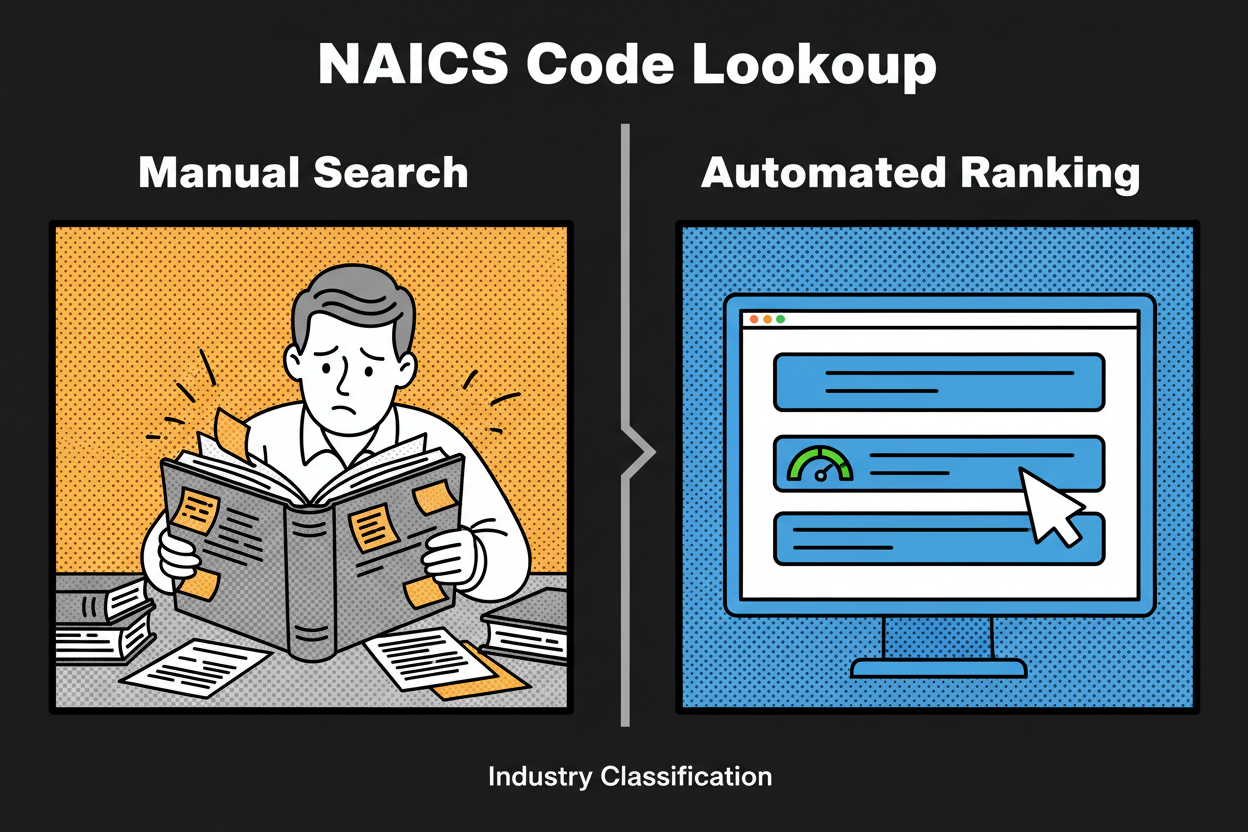
    Split-screen illustration showing on the left a person scrolling through a thick industry code book with sticky notes, and on the right a clean web interface returning a ranked NAICS result instantly with a visible confidence score gauge

    Traditional NAICS searches are keyword-only. They trip over synonyms like online storefront vs. e-commerce, install vs. manufacture, or fractional CMO vs. marketing consultant. Classifast uses semantic search to understand intent, not just words. So “online storefront” correctly maps to e-commerce retail, even when you never typed e-commerce.

    On this page, you’ll do three things: find your NAICS code, understand why it fits, and learn how to validate it with confidence. You’ll see real examples across retail, services, and manufacturing. You’ll also get best practices for multi-activity businesses, where a primary code plus a few related industries is the smartest way to classify.

    If your situation is complex, that’s fine. The tool is built for nuance. It shows how your words influence the match, explains close alternatives, and guides you to choose the code that reflects your main economic activity. You don’t need to memorize the taxonomy. You just need to describe what you do.

    By the end of this guide, you’ll know how to write a crisp business description, how to read confidence rankings, and how to sanity-check your final pick against official descriptions and your revenue mix. And if your business evolves, you can re-run your description anytime to stay aligned with the work you actually do.

    How the NAICS Code Identification Tool Works: Advanced Semantic Search Explained

    Most NAICS tools rely on keywords. That’s why they miss the mark when you say “we install solar panels” but the system fixates on “solar panels” and suggests manufacturing. Semantic search changes the game. It reads your description for meaning and intent, then finds the NAICS activities that best match that meaning, even if your wording is different.

    Classifast covers the full NAICS taxonomy, including titles and descriptions. Every category is encoded so the tool can compare your words to the official language of each industry. You don’t need to know the exact code number or phrase. The tool meets you where you are and translates your description into the right industry classification.

    Here’s how confidence ranking works in plain language. First, the tool calculates similarity between your description and each NAICS category using meaning-based scoring. Then it adjusts the order using tie-break signals that matter in real classification:

    • Activity verbs: manufacture, assemble, install, repair, wholesale, retail, consult, manage.
    • Revenue hints: “most revenue from X” weighs that activity more heavily.
    • Customer type: B2B vs. B2C can tilt you toward wholesale vs. retail or consulting vs. consumer services.
    • Channel: online vs. storefront vs. on-site helps separate e-commerce retail from brick-and-mortar retail or field services.

    If you write “We install residential solar panels and handle permitting. We don’t manufacture panels,” the tool looks past the word solar. The verbs install and handle permitting point to trade contractors. The explicit “don’t manufacture” acts as a negative signal. The result is a high-confidence recommendation in specialized construction, with related industries like electrical contractors as neighbors.

    Related industries are not throwaway suggestions. They’re your built-in validation set. If your top result is Retail Bakeries, Classifast also shows Commercial Bakeries and Electronic Shopping as close options. Each related industry comes with a short rationale like similar activity, different channel or produces in-house at scale. This helps you compare real-world differences without leaving the page.

    A quick before-and-after illustrates the advantage of semantic intent over keywords:

    • Before (manual keyword match): You type online storefront and see a list of retail store codes that refer to physical storefronts. You pick one and hope it’s close enough.
    • After (semantic intent match): You write “We sell directly to consumers through our online store” and the tool maps that meaning to electronic shopping, ranking it above brick-and-mortar retail because of the channel signal.

    Under the hood, the process follows a clear pipeline that’s designed for accuracy and transparency:

    • Input capture: you enter 1 to 3 sentences describing what you primarily do.
    • Text normalization: the tool expands common abbreviations and cleans formatting so signals aren’t lost.
    • Semantic encoding: your text and all NAICS descriptions are represented in a shared meaning space.
    • Candidate retrieval: the system pulls the closest NAICS categories based on semantic similarity.
    • Confidence ranking: it reorders candidates using decisive verbs, revenue hints, customer type, and channel.
    • Related industries: it surfaces adjacent categories to help you compare edge cases.
    • Validation prompts: it nudges you to confirm the final pick against your main revenue activity.
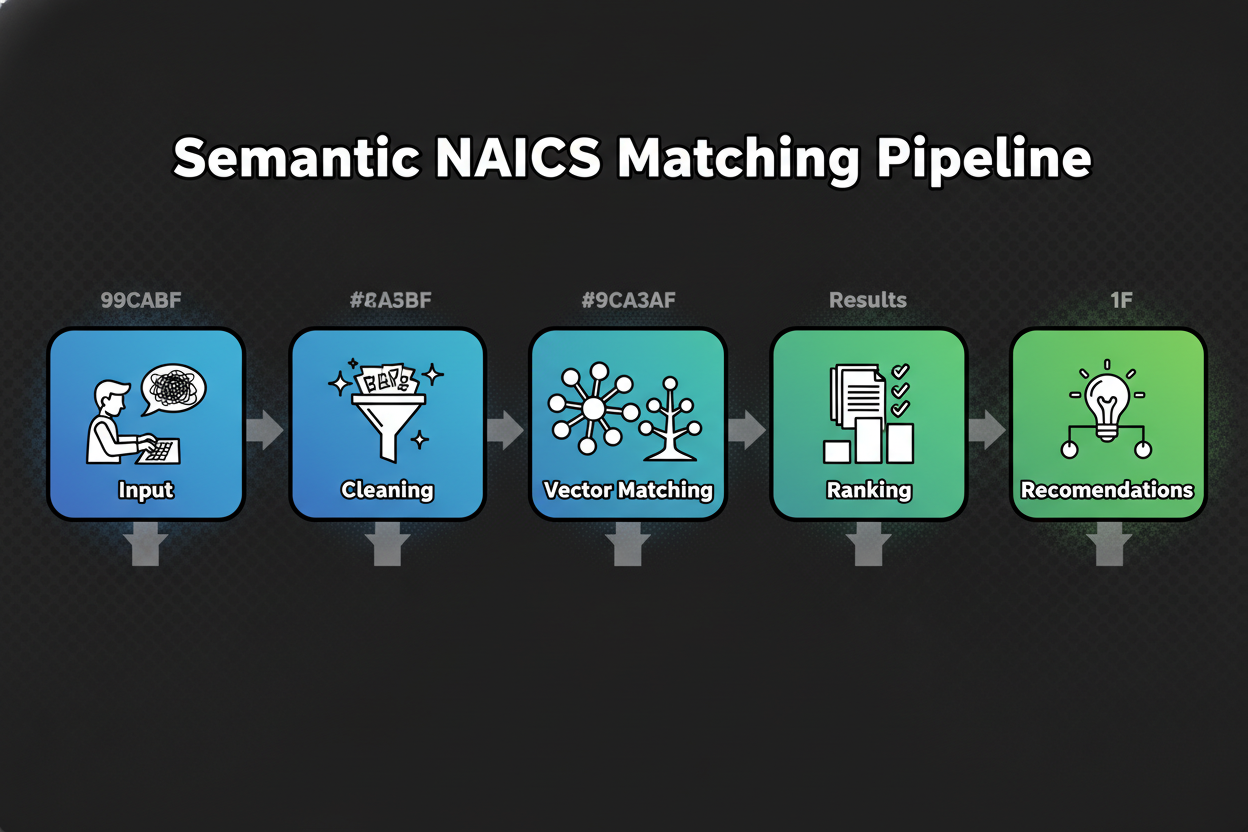
    Left-to-right flowchart: user text input -> text cleaning -> meaning-based vector matching across the NAICS taxonomy -> top matches -> confidence ranking -> final recommendations with related industries

    Privacy-by-design sits at the core of the experience. Your description is processed to return suggestions. The tool does not sell your text. Aggregated, anonymized usage data may be used to improve matching quality. You can revisit or revise your input at any time. For retention details and deletion options, see the privacy page noted in the product interface.

    Let’s walk through a brief example so you can see the logic in action. Suppose you write: “We design, assemble, and sell custom gaming PCs on our website. Most revenue comes from building systems.” The verbs design and assemble, plus the phrase most revenue comes from building, push the result toward computer manufacturing. The channel on our website is noted, so electronic shopping appears as a related industry. If you change the description to “We resell branded PCs and accessories through our online store,” the verb resell and the phrase online store shift the top match to e-commerce retail, with manufacturing downgraded.

    One more quick case. You enter: “Fractional CMO offering positioning, go-to-market plans, and campaign oversight for B2B startups.” The tool reads consulting and strategy verbs and the customer type B2B. It ranks marketing consulting services first, and shows management consulting as a close neighbor. If you instead mention ad buying and media placement, advertising-related categories move up.

    You’ll see each recommendation with a confidence score and a short explanation of why it matches. That explanation points to the words that mattered, like install, wholesale, or subscription, along with channel and customer clues. It’s transparent and repeatable, which makes audits and internal approvals easier.

    Ready to try it? In the next section, you’ll get a simple formula to describe your business, plus a step-by-step playbook to interpret results, resolve close calls, and validate your final NAICS classification with confidence.

    Step-by-Step Guide: Using the Tool for Accurate Business Classification

    Quick answer: How do I find the correct NAICS code for my business?

    • Describe your main business activity in 1-3 sentences.
    • Enter it into the tool.
    • Review the top result and confidence score.
    • Compare related industries if needed.
    • Validate with your primary revenue activity and official descriptions.

    Great. Now let’s go a level deeper so you can squeeze maximum accuracy from every search. This takes minutes, and the payoff is a rock-solid naics classification you can trust.

    Write a crisp input that speaks the tool’s language

    Start with what you actually do, not your title or brand. Use clear verbs and mention the output, your customers, and how you deliver the work. If you can add your main revenue driver, even better.

    Use this simple formula: “We [do activity] for [customer] by [method/channel], primarily earning revenue from [driver].”

    Here are a few one-liners that work well:

    • “We roast coffee beans for independent cafes and sell wholesale by recurring deliveries, primarily earning revenue from bulk orders.”
    • “We install residential solar panels for homeowners with on-site crews, primarily earning revenue from installation projects.”
    • “We provide marketing strategy consulting to B2B startups via retainers, primarily earning revenue from advisory work.”

    Avoid vague inputs like “coffee business” or “we do solar.” If your first try is very short, the tool will still return candidates, but the confidence ranking will improve a lot when you add activity verbs, customers, channels, and your primary revenue source.

    How to read your results like a pro

    Your output has four parts that matter:

    • Primary recommendation: the top NAICS title and code aligned to your description.
    • Confidence score: a visible indicator of match strength based on meaning, not just keywords.
    • Why this matches: a short explanation calling out the words that drove the match, like install, wholesale, subscription, or e-commerce.
    • Related industries: close neighbors that help you compare edge cases without leaving the page.

    If the top result’s confidence is high and the explanation lines up with your activity and revenue, you’re likely done. If two top results are close, read the “Why this matches” snippets and ask which one fits your primary revenue activity today.

    Mock tool interface showing the entered business description at the top, a primary NAICS recommendation with a prominent confidence score, a short explanation of why it matches, and a sidebar listing two related industries

    Example 1: Coffee roaster vs. wholesaler nuance

    Input: “We roast coffee beans in-house and sell wholesale to local cafes. Limited direct-to-consumer sales online.”

    The tool zeroes in on verbs like roast and sell wholesale. It will typically rank a manufacturing category above wholesale, because roast signals production, and your revenue hint centers on wholesale of your own product. The related industries sidebar often shows coffee wholesaling as a close neighbor if your wholesale volume dominates.

    What if the match feels close but not perfect? Refine to: “Most revenue comes from roasting and packaging our own beans; we wholesale to cafes via weekly deliveries.” That revenue sentence helps the confidence score tilt toward manufacturing. If you instead write: “We buy beans from importers and resell to cafes,” the verb buy plus resell will push the recommendation toward wholesale, and manufacturing will drop or move to related industries.

    Two tiny changes, big impact:

    • Mention if you produce in-house vs. resell. That’s a decisive signal.
    • Call out which activity makes most of your revenue. That breaks ties fast.

    Example 2: Solar installation with the right trade classification

    Input: “We install residential solar panels, provide site assessments, and handle permitting. We don’t manufacture panels.”

    The tool picks up install and permitting, which strongly indicate specialized trade contractors. You’ll usually see an electrical or solar-focused trade contractor code on top, with electrical contractors listed as related industries. The phrase don’t manufacture acts as a negative signal that de-emphasizes manufacturing categories.

    If you also sell panels as equipment, clarify primary revenue: “Most of our revenue comes from installation services; we also resell panels as part of the project.” The tool will still prioritize installation as primary and keep equipment wholesaling or retail in related industries where they belong for documentation.

    Example 3: Consultant using the tool across many clients

    If you’re a consultant, you can standardize classification quickly by applying the same input structure across clients. For each client, gather a one-sentence core activity and a short revenue note. Enter both. Save the top recommendation, the confidence score, and the “Why this matches” text in your working file.

    You’ll move faster and keep auditable notes. When two clients look similar but serve different customers, that detail will be reflected in the explanation. For instance, “advisory retainers for B2B startups” will tilt toward marketing consulting, while “ad buying and media placement for local retailers” can tilt toward advertising services. That clarity saves back-and-forth with finance or compliance teams.

    When to refine your input

    If the confidence score is moderate and the top two recommendations tell different stories, it’s time to refine. Add two kinds of detail:

    • Your primary revenue driver. Spell it out with “most revenue comes from…”
    • Channel and customer. Say online store, storefront, on-site, subscription, B2B, or consumer.

    Keep it simple. One added sentence often lifts confidence and clarifies the winner. If your business model is evolving, write the description that reflects the current state, not what you used to do.

    Handling complex or multi-activity businesses

    Many operations do more than one thing. That’s normal. The rule of thumb is to choose the NAICS code that matches your primary revenue activity, then document secondary or related codes for internal use or for forms that ask for them.

    A bakery that manufactures wholesale and also runs a retail counter should decide based on where most revenue comes from. If wholesale production is the main engine, a manufacturing category is likely primary. Keep retail bakery and electronic shopping as secondary references. If seasons change the split, pick the code that best represents your typical or target mix and re-run your description whenever the balance shifts.

    The tool helps by showing related industries that mirror your edge cases. Use those to sanity-check what’s just outside your primary scope.

    Make your input stronger with the formula

    Here’s that practical sentence again. Use it verbatim and fill in the blanks: “We [do activity] for [customer] by [method/channel], primarily earning revenue from [driver].”

    A few quick fills:

    • “We design and install residential irrigation systems for homeowners with on-site crews, primarily earning revenue from installation projects.”
    • “We provide fractional CFO services to funded startups via monthly retainers, primarily earning revenue from advisory engagements.”
    • “We pick, pack, and ship third-party products for online sellers via our warehouse, primarily earning revenue from fulfillment fees.”

    Each one gives the tool decisive verbs, outputs, customers, and channel. That’s the good stuff for accurate industry classification.

    What the confidence score is telling you

    Confidence blends meaning-based similarity with real-world signals like decisive verbs, revenue hints, customer type, and delivery channel. High confidence means your words clearly map to one category. Medium confidence usually means two categories look similar and you need a revenue or channel clue to tip the scale. Low confidence often means the input is short or generic.

    If you see low confidence:

    • Add a verb that reflects the core activity: manufacture, install, wholesale, retail, consult, manage, repair.
    • Name the output: coffee beans, software, apparel, solar panels, training.
    • Call out the channel: e-commerce, storefront, on-site, subscription.
    • State your main revenue driver.

    Two to three extra details usually lift the score and sharpen the recommendation.

    Interpreting the “Why this matches” explanation

    That short line under the result is more than a nice-to-have. It’s your audit trail. It highlights the words that the tool treated as decisive. If you see it emphasize install and permitting, you know it classified you as a contractor for the right reason. If it emphasizes online store and direct-to-consumer, it’s likely recognizing e-commerce retail.

    When the explanation and your reality diverge, rewrite your input to reflect what you actually do. If you no longer manufacture, say “we do not manufacture.” If you sell only via wholesale, say “we sell only wholesale.”

    Validation checklist

    Use this quick checklist before you finalize your naics classification:

    • Match the description to your primary revenue stream.
    • Compare the “Why this matches” text with your invoices and services.
    • Read the official NAICS title and description for the top result.
    • Review related industries to ensure none fits better.
    • Check a comparable business you know to confirm the direction.

    Bringing it all together

    By now, you know how to write an input that the tool understands, how to interpret the confidence ranking, and how to use related industries to cover edge cases. You also have a simple way to validate the final pick so it holds up in forms, proposals, and research.

    Next up, we’ll put this into action with real-world examples across retail, services, and manufacturing, along with a side-by-side comparison table that shows how inputs translate into accurate NAICS codes and confidence scores.

    Real-World Examples: NAICS Classification in Action

    You’ve seen how the tool thinks. Now see it work in the wild. These examples show how small wording changes can shift your naics classification, and how the confidence ranking and related industries help you land the right code without guesswork.

    Retail: Online boutique selling handmade jewelry

    Input a user might enter:
    “We sell handmade jewelry directly to consumers through our online store. We design pieces but outsource the metal casting. Most revenue comes from online sales.”

    What a manual keyword-only search might suggest and why that can be wrong:
    A keyword search fixates on jewelry and handmade. You’ll likely see Jewelry Stores or Jewelry Manufacturing first. It ignores your channel (online) and the fact that production is outsourced, not your primary activity.

    Tool’s primary recommendation:
    Electronic Shopping (code shown in tool).

    Why this matches:
    Decisive signals are sell directly, online store, and most revenue comes from online sales. Those point to direct-to-consumer e-commerce. Design is present but casting is outsourced, so manufacturing is not the primary revenue driver.

    Related industries and why they appear:

    • Jewelry Stores (code shown in tool) because if you operated a physical storefront, this would be the neighbor.
    • Jewelry Manufacturing (code shown in tool) because some boutiques fabricate in-house. It appears to help you validate edge cases where production becomes primary.

    Services: Fractional CMO and marketing strategy consulting

    Input a user might enter:
    “I provide marketing strategy and fractional CMO services to B2B SaaS startups, including positioning, go-to-market plans, and ongoing advisory retainers.”

    What a manual keyword-only search might suggest and why that can be wrong:
    Keywords like marketing and campaigns can push you toward Advertising Agencies. But there’s no ad buying or media placement here. Another common miss is Management Consulting as a catch-all, which is close but broader than your stated focus.

    Tool’s primary recommendation:
    Marketing Consulting Services (code shown in tool).

    Why this matches:
    The verbs provide, strategy, and advisory retainers, plus the customer type B2B, signal consulting rather than advertising execution. Go-to-market plans and positioning further support a strategy-first consulting scope.

    Related industries and why they appear:

    • Management Consulting Services (code shown in tool) because many fractional executives span general management issues. It shows as a neighbor for easy comparison.
    • Advertising Agencies (code shown in tool) appears if you mention media buying, which would tilt the match in that direction.

    Manufacturing/Hybrid: Custom gaming PCs designed, assembled, and sold DTC

    Input a user might enter:
    “We design, assemble, and sell custom gaming PCs directly to consumers via our website. Most revenue comes from building systems; accessories are a small share.”

    What a manual keyword-only search might suggest and why that can be wrong:
    Keywords sell and website trigger Electronic Shopping or Computer and Software Stores. That misses the decisive verbs design and assemble, and it ignores the statement that most revenue comes from building systems.

    Tool’s primary recommendation:
    Electronic Computer Manufacturing (code shown in tool).

    Why this matches:
    Design and assemble are strong production verbs. The revenue note most revenue comes from building systems is the tie-breaker that elevates manufacturing above retail. The channel is online, but the primary activity is production, not resale.

    Related industries and why they appear:

    • Electronic Shopping (code shown in tool) shows up because you sell via your website. It’s useful for validation if your revenue mix shifts toward resale.
    • Computer and Software Stores (code shown in tool) appears when customers can buy in-person or when retail dominates.

    Contrast: Pure reseller case
    Input:
    “We resell branded PCs and accessories through our online store, no assembly or custom builds.”

    Primary recommendation in this case:
    Electronic Shopping (code shown in tool).

    Why this matches:
    Resell and online store signal retail without production. No assembly is an explicit exclusion cue that pushes manufacturing down.

    Construction trade contractor: Residential solar installation

    Input a user might enter:
    “We install residential solar panels, perform site assessments, and handle permitting. We don’t manufacture panels; most revenue is from installation projects.”

    What a manual keyword-only search might suggest and why that can be wrong:
    Solar panels can trigger manufacturing results or even power generation categories. None of that reflects your on-site installation work with homeowners.

    Tool’s primary recommendation:
    Electrical Contractors and Other Wiring Installation Contractors (code shown in tool).

    Why this matches:
    Install, site assessments, and permitting are contractor verbs. The negative cue we don’t manufacture downgrades production categories. Residential points to household customers, which fits the trade contractor scope.

    Related industries and why they appear:

    • Other Building Equipment Contractors (code shown in tool) can appear for systems installation adjacent to electrical work.
    • Electrical Equipment Wholesalers (code shown in tool) may appear if your input mentions selling components, useful for edge cases where equipment resale grows.

    Professional services/IT: ERP implementation, migration, and training

    Input a user might enter:
    “We help companies implement ERP software, including configuration, data migration, and user training. Most revenue comes from implementation projects; we don’t develop proprietary software.”

    What a manual keyword-only search might suggest and why that can be wrong:
    The word software can push a keyword search toward Custom Computer Programming or Software Publishers. Training may pull you into Computer Training as primary. Both miss that implementation services and systems integration are your core revenue.

    Tool’s primary recommendation:
    Computer Systems Design Services (code shown in tool).

    Why this matches:
    Implement, configuration, and data migration are systems integration verbs. The revenue note puts implementation projects at the center. The phrase we don’t develop proprietary software acts as an exclusion cue against software publishing or heavy programming.

    Related industries and why they appear:

    • Custom Computer Programming Services (code shown in tool) appears if you write custom modules. It’s a close neighbor for projects with significant coding.
    • Computer Training (code shown in tool) shows up due to user training, which is often a secondary service in ERP rollouts.

    Side-by-side view: How inputs become confident recommendations
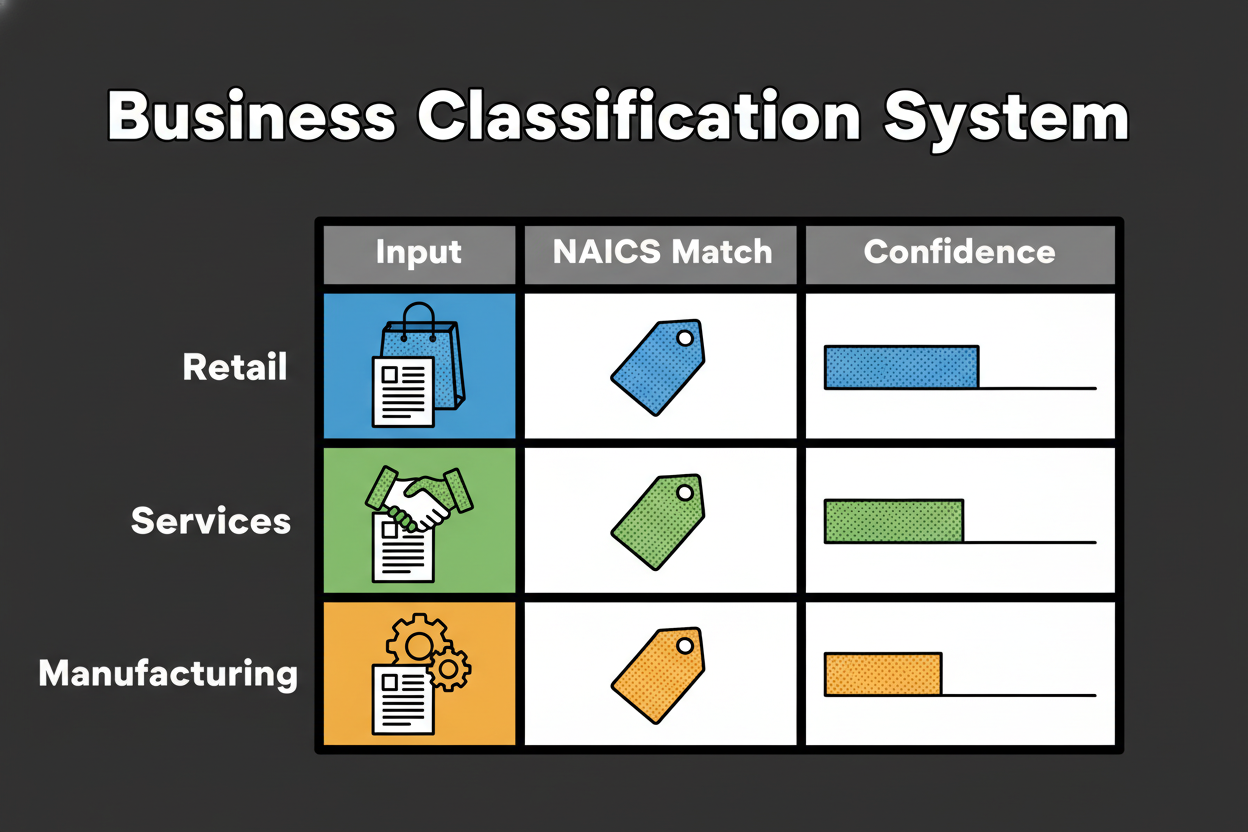
    Table-style graphic with three rows: retail, services, manufacturing. Each row shows the input description, the recommended NAICS title and code, and a confidence score represented by a bar

    Here’s a quick comparison table to make the signals obvious.

    Input description Primary recommendation (title; code shown in tool) Confidence Key signals/Why this matches
    “We sell handmade jewelry via our online store; we design but outsource casting. Most revenue is online DTC.” Electronic Shopping (code shown in tool) High Sell directly, online store, DTC channel; outsourced production lowers manufacturing
    “Fractional CMO providing marketing strategy and advisory retainers for B2B startups.” Marketing Consulting Services (code shown in tool) High Consulting verbs, strategy scope, B2B customers; no ad buying mentioned
    “We design, assemble, and sell custom gaming PCs on our website; most revenue from building systems.” Electronic Computer Manufacturing (code shown in tool) Medium-High Design, assemble, primary revenue from production; online channel noted but not primary activity
    “We install residential solar panels and handle permitting; we don’t manufacture.” Electrical Contractors and Other Wiring Installation Contractors (code shown in tool) High Install plus permitting, residential customers; explicit exclusion of manufacturing
    “We implement ERP software with configuration, migration, and user training; no proprietary development.” Computer Systems Design Services (code shown in tool) Medium-High Implement, configuration, migration; exclusion of software publishing; training as secondary

    What this shows about intent over keywords

    Each case turns on a small set of decisive clues: the activity verb, the revenue driver, the channel, and the customer. A keyword-only search pulls you toward the most obvious noun. The tool reads the whole sentence and ranks by meaning. That’s why online store doesn’t automatically mean retail when you also say design and assemble with production revenue. And it’s why solar panels doesn’t equal manufacturing when you clearly install.

    Benchmark note vs manual classification

    Internal testing will compare the tool’s top-1 and top-3 recommendations against expert-curated codes across a stratified sample of industries [to validate]. The study will also document how often a short refinement like adding most revenue comes from X moves the correct code into the top slot with higher confidence [to validate]. We’ll use these results to continue tuning decisive signals and thresholds.

    Lessons learned

    • Use decisive activity verbs: manufacture, assemble, install, consult, wholesale, retail. They anchor your naics classification.
    • Let your primary revenue driver break ties. If production earns most revenue, manufacturing outranks retail even with an online channel.
    • Channel and customer type matter. Online vs storefront, B2B vs consumer help separate close neighbors fast.
    • Exclusion cues clarify scope. Say “we don’t manufacture” or “resale only” to push incorrect categories down the list.
    • Related industries are your built-in cross-check. Use them to validate edge cases and document secondary activities.
    • Multi-activity businesses should choose by the main revenue activity and keep secondary codes for internal records or specific forms.

    Putting this together, the fastest path to an accurate result is simple: write what you do, who you do it for, how you deliver it, and what pays the bills. The tool will show a clear primary code, a confidence score you can trust, and related industries that make your decision auditable.

    In the next section, we’ll answer the questions users ask most about NAICS codes and the identification tool, including multi-activity scenarios, updates, international use, and how your data is handled.

    Frequently Asked Questions: NAICS Classification and the Identification Tool

    You’ve seen how inputs turn into confident results. Now let’s clear up the questions that come up most when teams finalize a naics classification.
    FAQ accordion styling mock with collapsible questions and short answers, styled in a clean UI panel

    Q: What if my business doesn’t fit a single NAICS code?
    Most businesses do more than one thing. Pick the code that matches your primary revenue activity, then note secondary or related industries for internal use or for forms that specifically ask for them. The tool shows related industries so you can document those edge activities without confusing your primary classification.

    Q: My business has two activities that are equal. How should I choose?
    When the split is truly 50-50, consider your primary growth strategy and typical project mix, then choose the code that best represents how the market sees you. If seasonality flips the mix, select the category that reflects the most common or target state. Keep the second activity as a documented related industry for reference.

    Q: How often are NAICS codes updated, and does the tool stay current?
    The NAICS taxonomy is periodically updated. You don’t need to track changes yourself. The tool maintains the current set of titles and descriptions and refreshes its index so your results reflect the latest language without any extra work on your part.

    Q: Is this tool suitable for international businesses?
    NAICS is a North American industry classification. If you operate outside this region, you can still use the tool to find the closest equivalent activity, then compare that outcome to your local classification system. The meaning-based explanation and related industries help you map across systems with clarity.

    Q: How is my data handled, and is it secure?
    Your description is processed to deliver recommendations and confidence-ranked results. We follow a privacy-by-design approach, do not sell your submitted text, and may use aggregated, anonymized usage data to improve matching quality. For retention and deletion options, review the privacy details provided in the product interface.

    Q: Can I select more than one NAICS code?
    Most organizations choose one primary code. Some forms request multiple codes or additional detail, which is where your secondary and related industries come in. Use the primary for your main identification and keep a short list of secondaries for documentation and specific requests.

    Q: How do I validate my result before using it on forms?
    Compare the top recommendation’s description to your primary revenue activity, then read the “Why this matches” explanation and verify it against your invoices or service lines. Check the related industries to see if any better reflect what actually pays the bills. If your model has changed, rewrite your input to match the current state and re-run it.

    Q: When should I get professional help?
    If your operations are highly regulated, if mergers created a complex multi-entity structure, or if stakeholders cannot align on the primary activity, it can be smart to consult an advisor. Bring your tool results, confidence scores, and explanations to that conversation to make the review faster and more precise.

    Why Accurate NAICS Classification Matters: Compliance, Funding, and Strategic Insights

    NAICS shows up in more places than most teams realize. You’ll see it on registration and reporting forms, vendor onboarding questionnaires, and procurement portals. Researchers and analysts also use naics classification to segment markets, estimate demand, and benchmark competitors.

    Accuracy matters because small differences in language can change how others interpret your business. A production-heavy shop classified as retail might get routed to the wrong vendor category. A contractor classified as manufacturing might miss opportunities that filter for trade services.

    Funding and grants often use NAICS as an eligibility filter. If your code doesn’t match the program’s target segment, your application can be screened out before anyone reads it [to validate]. Insurance and risk pricing can also be influenced by how your activities are labeled. If you pick a category with a different risk profile, you could face mispriced premiums or extra review.

    Strategy benefits too. Clean industry classification feeds better market sizing, competitor sets, and benchmarking studies. If your code is off, it can skew comparisons and lead to the wrong conclusions about share, growth rates, or pricing.

    Here’s a short, realistic story. A small firm that implements ERP systems classified itself under custom programming because it occasionally built connectors. A grant for digital transformation services filtered for systems design and integration, not programming. The application never made it to the next round. After reviewing the actual revenue mix and reclassifying to a systems design category, the firm aligned with future opportunities and moved through vendor onboarding faster. No promises, just a clear path unlocked by accurate labeling.

    So how does the tool reduce risk? It focuses on meaning, not just keywords, and ranks results by decisive signals like activity verbs, revenue drivers, channels, and customer types. It also shows related industries, which act like a built-in second opinion. And it nudges you to validate by comparing the recommendation to your primary revenue stream and official descriptions. Those checks help you avoid common pitfalls where similar-sounding categories describe very different economic activities.

    If you want a quick mental model, think of NAICS as the label others use to route you correctly. Getting the label right saves back-and-forth, avoids misfits in databases, and increases your odds of landing on the right lists for grants, RFPs, or vendor approvals.
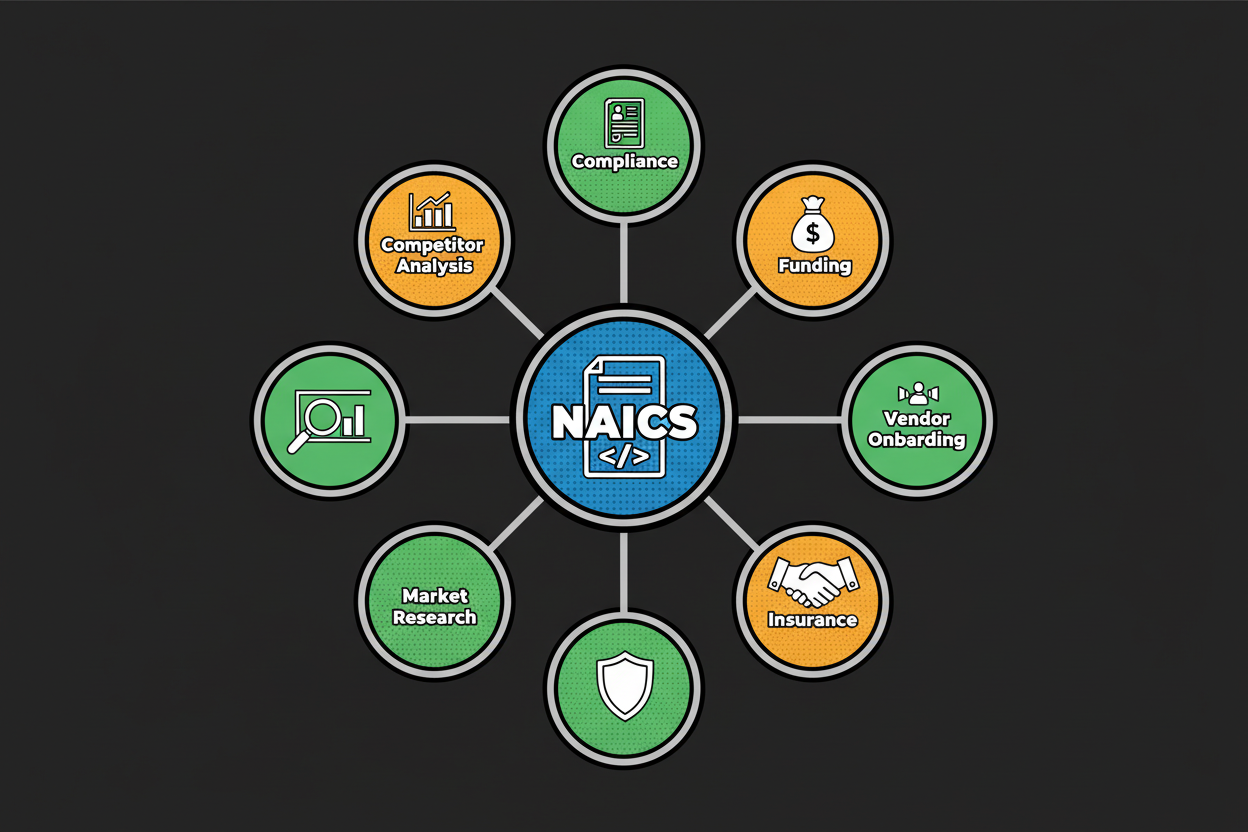
    Circular infographic centered on 'NAICS code' with radiating spokes labeled 'Compliance forms', 'Funding and grants', 'Vendor onboarding', 'Insurance and risk', 'Market research', 'Competitor benchmarking'

    To make this practical, keep these points in mind:

    • Classify by what primarily generates revenue, not by what sounds most prestigious.
    • Use channel and customer signals to separate close neighbors.
    • Add explicit exclusion language if you do not perform a common related activity.
    • Re-run your description when your business model evolves.
    • Document secondary codes for forms that request more detail.

    A final note on metrics: several organizations publish statistics about how often NAICS is requested on applications and how many businesses misclassify themselves. We will include vetted figures once sourced [to validate]. The core guidance here remains evergreen, with or without specific percentages.

    Get Started: Instantly Identify Your NAICS Code with Confidence

    You’re one step away from clarity. Classifast turns your plain-language description into a confident, audit-ready naics classification in seconds. You get a ranked primary recommendation, a clear “Why this matches” explanation, and related industries to double-check edge cases.

    Here’s the simple plan. Write one to three sentences using the formula on this page, paste it into the tool, and review the top match and confidence score. If two results are close, use your primary revenue activity as the tie-breaker and scan the related industries for sanity-checking. Save the output for your records so you can reuse it on forms, vendor portals, and grant applications.

    If you help multiple clients, run each description through the tool, and keep the confidence score with a short note about decisive signals. That creates a repeatable process your finance or compliance team can trust.

    “Classifast gave us a precise code and the reasoning behind it. We finished vendor onboarding in one pass and saved hours of guesswork” [to validate].
    Prominent call-to-action section with a large input box, a 'Find My NAICS Code' button, and trust badges below indicating privacy, reliability, and support

    Try it now. Enter your description, get your code, and move on with confidence. Bookmark this page so you can re-run your input as your business evolves, and share it with colleagues who need a faster, clearer way to classify their work.

    Key Takeaways

    • Write a strong input using clear verbs, outputs, customers, and channel.
    • Choose your primary code by the main revenue activity, not by title.
    • Use related industries to validate edge cases and document secondaries.
    • Read the “Why this matches” explanation to confirm decisive signals.
    • Add exclusion cues like “not manufacturing” to push wrong categories down.
    • Sanity-check against official descriptions and your invoices before filing.